Unity Engine Explained: What It Is and Why So Many Games Use It
How the Unity engine works: the editor, GameObjects and components, C# scripting, URP and HDRP, the Unity 6 release model and the games built with it.
If you have played a mobile game in the last decade, there is a good chance it ran on Unity. The same is true for a long list of beloved indie hits, VR titles and even some very large live-service games. Unity rarely gets the “jaw-dropping tech demo” headlines that Unreal does, yet it is one of the most widely used game engines in the world.
This guide explains what Unity is, how its core building blocks work, how its render pipelines and release model are organized as of 2026, and why so many developers, from students to established studios, choose it. For a general overview of what any engine does, see our explainer on what a game engine is.
A quick history
Unity began life in Denmark at a small company originally called Over the Edge Entertainment, and the engine was first shown publicly in 2005 at Apple’s Worldwide Developers Conference as a Mac-only tool. Its founders’ stated goal was “democratizing game development”: making professional-grade tools affordable and approachable for small teams.
Two big shifts shaped its rise. First, Unity expanded to Windows and a growing list of target platforms, letting developers build once and ship almost anywhere. Second, the arrival of the iPhone App Store and then Android created a huge market for small 3D and 2D games, and Unity’s lightweight runtime and simple workflow fit that market perfectly. The engine became the default choice for mobile games and stayed there.
For many years Unity used year-based version names (Unity 2019, 2020, 2021 and so on). In October 2024 it returned to simple numbering with Unity 6, and has since released point updates such as 6.1, 6.2, 6.3 and beyond.
How Unity is organized: GameObjects and components
The core idea of Unity is easy to explain and powerful in practice.
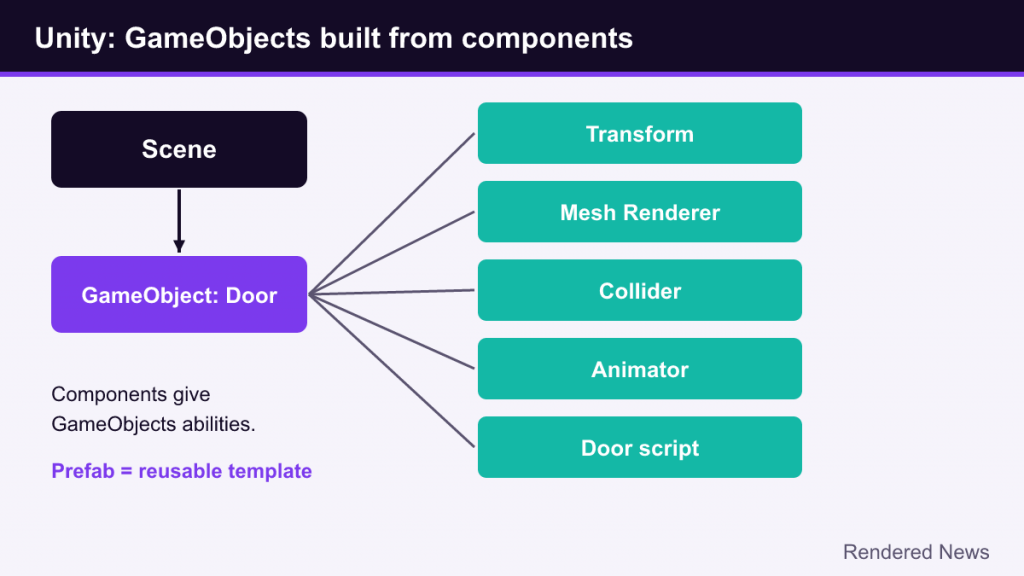
- Scenes are the containers for your game’s content, roughly like levels or screens (a main menu, a forest, a boss arena).
- GameObjects are the “things” in a scene: the player, a tree, a light, a camera, an invisible trigger zone. On their own, GameObjects do almost nothing.
- Components give GameObjects their abilities. A Transform stores position, rotation and scale. A Mesh Renderer draws a 3D model. A Rigidbody makes the object obey physics. A Collider gives it a physical shape. An Audio Source plays sounds. Your own scripts are components too.
- Prefabs are reusable templates of GameObjects with their components and settings. Make an enemy prefab once, place hundreds, then update all of them by editing the prefab.
This composition-based model is why Unity feels approachable. You build behavior by snapping pieces together in the Inspector rather than designing large class hierarchies up front. A door, for example, might be a GameObject with a mesh, a collider, an animator and a small script that opens it when the player approaches.
For projects that need to process enormous numbers of objects, Unity also offers its Data-Oriented Technology Stack (DOTS), including an Entity Component System (ECS). ECS organizes data in memory for speed and pairs with Unity’s Burst compiler and Job System for multithreading. It is more complex than GameObjects and is usually used where performance demands it, such as large simulations or crowds.
Scripting in C#
Unity’s scripting language is C#. A typical script derives from MonoBehaviour and uses event functions that the engine calls automatically: Start runs once when the object becomes active, Update runs every frame, and FixedUpdate runs on the physics timestep. Inside those you read input, move objects, check collisions and update UI.
C# is a mainstream, strongly typed language with a huge ecosystem outside games, which matters for beginners: tutorials, books and general programming knowledge transfer directly. It is also more forgiving than C++, with automatic memory management. The trade-off is that garbage collection can cause hitches if a game allocates memory carelessly every frame, which is why “avoid allocations in Update” is a classic piece of Unity optimization advice.
Unity also includes visual scripting (formerly the Bolt add-on) for people who prefer node graphs, though most production code remains in C#.
Render pipelines: URP, HDRP and the Built-in pipeline
Rendering in Unity is handled by a render pipeline, and this is the area where newcomers most often get confused, because Unity has had three of them.
| Pipeline | Aimed at | Status as of 2026 |
|---|---|---|
| Universal Render Pipeline (URP) | Scalable rendering from mobile and web to consoles and PC | Unity’s main focus; recommended for new projects |
| High Definition Render Pipeline (HDRP) | High-end visuals on PC and current consoles | Maintained, with fixes but no new features planned |
| Built-in Render Pipeline | The original, legacy renderer | Deprecated starting with Unity 6.5; not recommended for new titles |
URP and HDRP are both built on the Scriptable Render Pipeline (SRP) framework, which lets developers customize how rendering works through C#. In its 2026 render pipeline strategy, Unity said it is concentrating investment on URP, including features such as real-time global illumination, screen-space reflections and physical light units, while HDRP receives stability work only. The Built-in pipeline remains available through the Unity 6.7 LTS cycle, with support promised at least through the end of 2028.
For a beginner, the practical takeaway is simple: start new projects in URP unless you have a specific reason not to.
Rendering features worth knowing
Unity 6 introduced several rendering improvements, including the GPU Resident Drawer (which reduces CPU work for drawing many objects), Adaptive Probe Volumes for indirect lighting, and Spatial-Temporal Post-processing (STP), Unity’s own cross-platform temporal upscaler. If upscalers are new to you, our guide to render resolution versus output resolution explains the idea. Unity also supports vendor upscalers such as DLSS and FSR on supported platforms.
Unity 6 and the release model
Unity ships two kinds of releases:
- Long Term Support (LTS) versions receive two years of bug fixes and stability updates (with an extra year for Enterprise and Industry subscribers). Unity 6.0 LTS is supported through October 2026, and Unity 6.3 LTS through December 2027.
- Update releases (such as 6.4 and 6.5) add new features faster and are supported until the next update ships. Unity 6.5, for example, arrived in mid-2026 and is the version that began deprecating the Built-in pipeline.
Teams shipping a commercial game usually build on an LTS version for stability, while hobbyists and teams early in development may use the newest update for its features. Because version support windows change, check Unity’s official release pages before choosing.
Platform reach and the Asset Store
One of Unity’s biggest selling points has always been the number of platforms it supports: Windows, macOS and Linux, iOS and Android, the web, the major consoles, and XR devices including standalone VR headsets. Build Profiles in Unity 6 make it easier to manage settings for each target from one project. This breadth is a big reason mobile and VR studios gravitate to Unity.
The Unity Asset Store is the other half of the ecosystem. It sells and distributes models, animations, audio, editor tools, shaders and complete systems (inventory, dialogue, character controllers). For small teams, buying a well-made tool can save weeks. The risk is dependency: a project built on many third-party assets can break when the engine updates and an asset author stops maintaining their package.
Pricing and the Runtime Fee story
Unity’s business model is subscription-based. In September 2023 the company announced a “Runtime Fee” that would charge developers per game install above certain thresholds. The backlash from developers was intense, the plan was revised, and on September 12, 2024 Unity announced it was canceling the Runtime Fee for games entirely.
At the same time Unity said that with Unity 6, the free Unity Personal plan’s revenue-and-funding limit would rise from $100,000 to $200,000, and that the “Made with Unity” splash screen would become optional for Personal projects built in Unity 6. Above that limit, developers need a paid plan such as Unity Pro. Prices and thresholds can change, so check Unity’s pricing page for current terms.
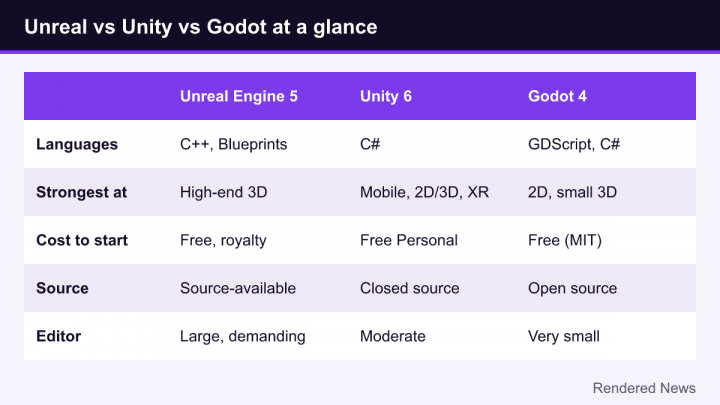
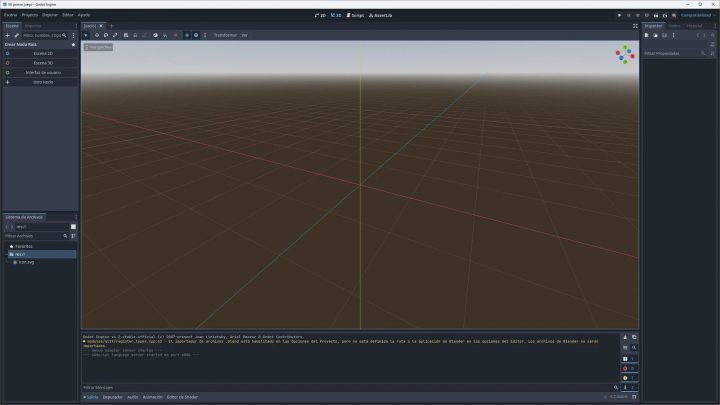
The episode damaged trust for some developers, and it is one reason open-source engines like Godot drew more attention in 2023 and 2024. It also shows why reading an engine’s license, not just its feature list, belongs in any engine decision.
Games made with Unity
Unity’s catalog spans every genre and size. A few well-known examples:

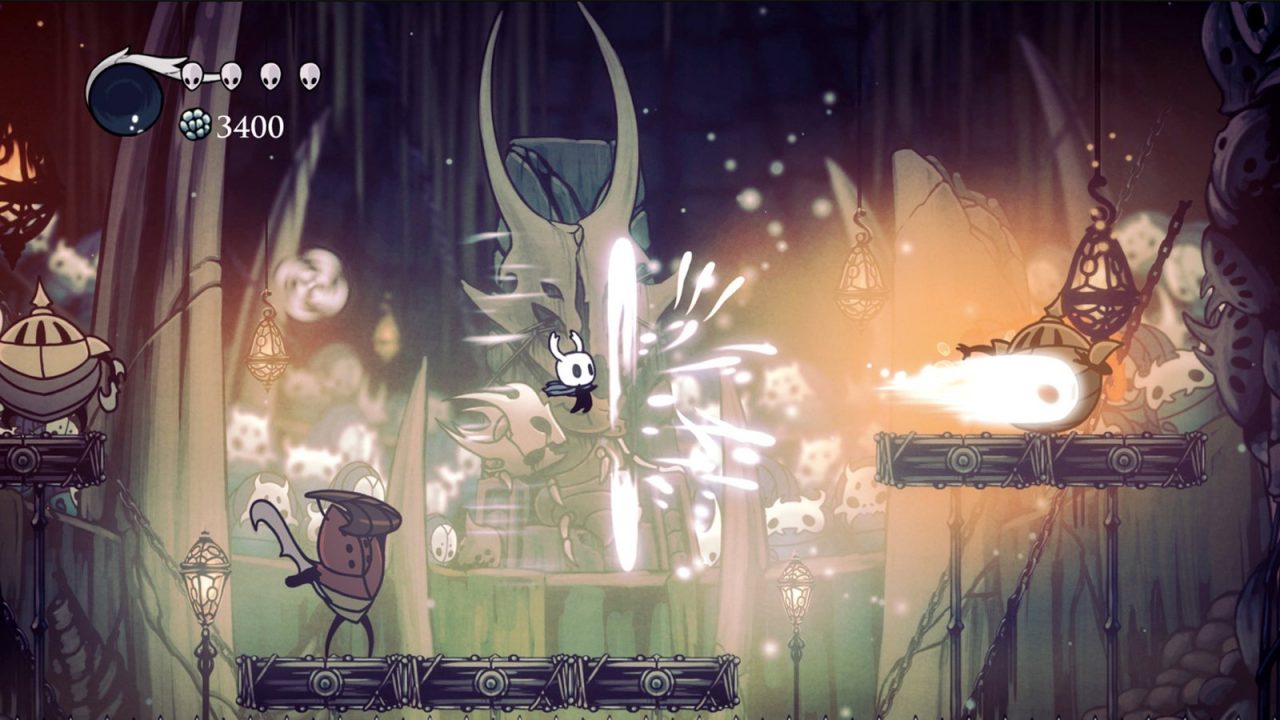
- Hollow Knight and Hollow Knight: Silksong (Team Cherry), hand-drawn 2D action games.
- Cuphead (Studio MDHR) and Ori and the Blind Forest (Moon Studios), both celebrated for their art.
- Genshin Impact (HoYoverse) and Pokémon Go (Niantic), showing Unity’s reach on mobile and in huge live games.
- Among Us (Innersloth) and Fall Guys (Mediatonic), two breakout multiplayer hits.
- Cities: Skylines (Colossal Order), Beat Saber (Beat Games) and Monument Valley (ustwo games).
Notice how few of these chase photorealism. Unity’s strengths show most clearly in stylized art, 2D, mobile and VR, though high-end projects exist too.
Strengths, weaknesses and common beginner mistakes
Where Unity shines
- A gentle learning curve for the basics, with C# as a widely taught language.
- Excellent 2D tools (sprites, tilemaps, 2D lighting and physics) alongside full 3D.
- Very broad platform support, especially mobile, web and XR.
- Huge amounts of tutorials, forum answers and free learning material on Unity Learn.
Where it is weaker
- High-end realism takes more setup than in Unreal, and HDRP is no longer gaining new features.
- The engine source code is not openly available to everyone, unlike Unreal’s source access or Godot’s open-source code.
- Past pricing controversies make some developers cautious about long-term licensing.
Mistakes newcomers make
- Starting in the wrong pipeline. Many old tutorials assume the Built-in pipeline; shaders and materials from them may not work in URP.
- Putting everything in Update. Heavy work every frame, especially searching for objects or allocating memory, causes slowdowns. Cache references and use events where possible.
- Moving physics objects the wrong way. Objects with a Rigidbody should usually be moved through physics (forces or Rigidbody methods), not by setting their Transform directly.
- Ignoring version control. Unity projects contain many files and metadata. Set up version control early so a bad change is never permanent.
Who should use Unity?
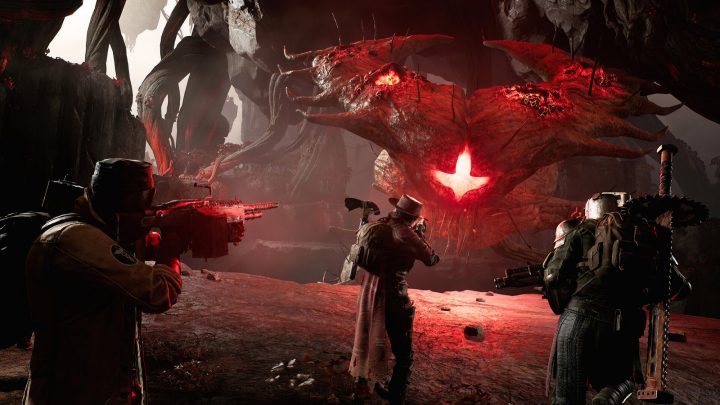
Unity remains a strong choice for mobile games, 2D games, VR and AR projects, stylized 3D games and any team that values fast iteration and a large pool of C# knowledge. If your main goal is cutting-edge realism with dynamic global illumination and dense geometry, compare it carefully with Unreal Engine 5. Either way, Unity’s mix of approachable design and enormous platform reach explains why so many of the games people actually play were built with it.