Intel XeSS Explained: Upscaling, Frame Generation and Low Latency
How Intel XeSS works as of 2026: AI upscaling on XMX and DP4a, quality modes, XeSS 2 frame generation and XeLL, and XeSS 3 multi frame generation.
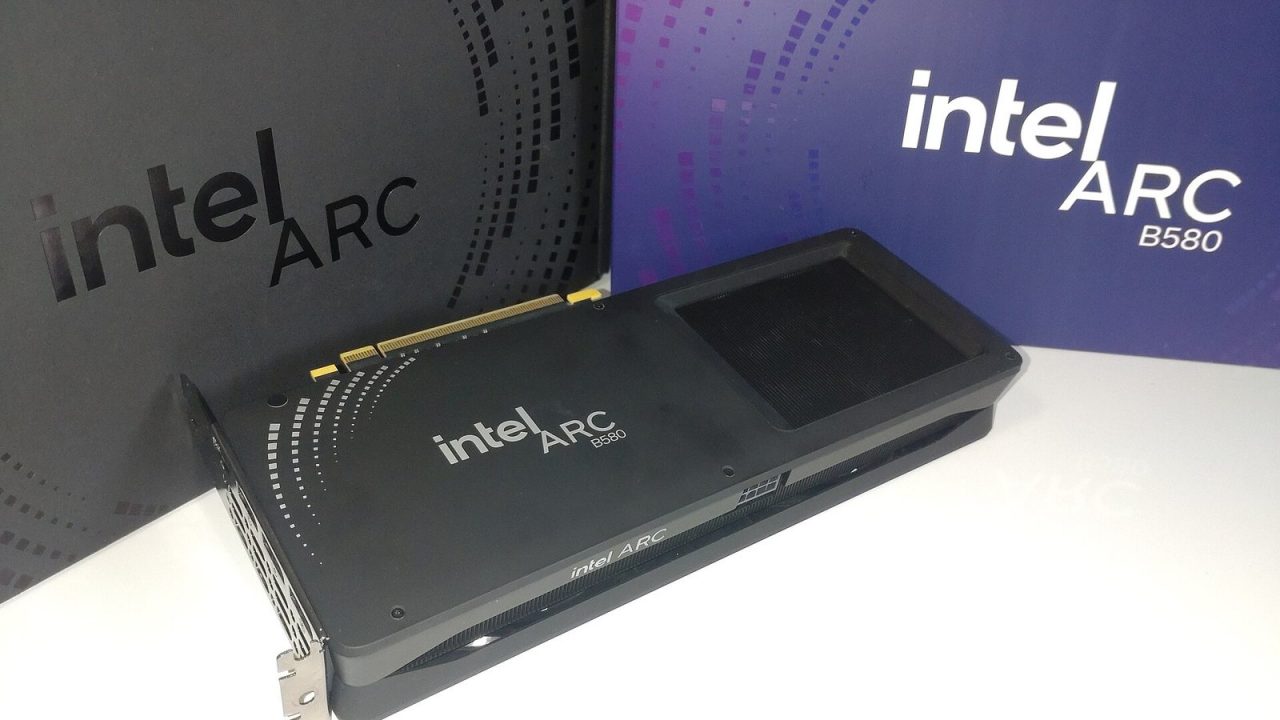
When people list the big three upscalers, Intel’s XeSS is usually mentioned last, after NVIDIA’s DLSS and AMD’s FSR. That undersells it. XeSS was one of the first machine-learning upscalers designed to run on graphics hardware from more than one vendor, and it has grown into a full suite with frame generation and a latency reduction feature of its own.
This guide explains what XeSS is, how its two execution paths differ, what its quality modes mean, and how the XeSS 2 and XeSS 3 additions (frame generation, Xe Low Latency and multi frame generation) fit together as of 2026. It stays on the software side: what the technologies do and how they are integrated, not which graphics card to buy.
What XeSS is
XeSS stands for Xe Super Sampling, named after Intel’s Xe graphics architecture. It debuted in 2022 alongside Intel’s first Arc graphics cards. Like other modern upscalers, it renders the game at a lower internal resolution and reconstructs a higher-resolution output image, aiming for image quality close to native resolution at a lower cost. Because GPU cost scales roughly with the number of pixels shaded, rendering at, say, 1440p and reconstructing a 4K image saves a large share of the work per frame.
XeSS is a temporal upscaler: it combines information from the current frame with information accumulated over previous frames, using motion vectors supplied by the game to track how each pixel has moved. And it is AI-based: a trained neural network decides how to combine those samples, which helps it reconstruct fine detail and reject stale data that would otherwise cause ghosting.
Today Intel uses “XeSS” as an umbrella brand. The suite includes:
- XeSS Super Resolution (XeSS-SR): the upscaler itself.
- XeSS Frame Generation (XeSS-FG): AI-based frame interpolation, introduced with XeSS 2.
- Xe Low Latency (XeLL): a latency reduction feature, also introduced with XeSS 2.
- XeSS Multi Frame Generation (XeSS-MFG): introduced with XeSS 3, generating up to three frames per rendered frame.
Two paths: XMX and DP4a
The most distinctive thing about XeSS Super Resolution is that it runs in two different ways depending on the hardware.
The XMX path
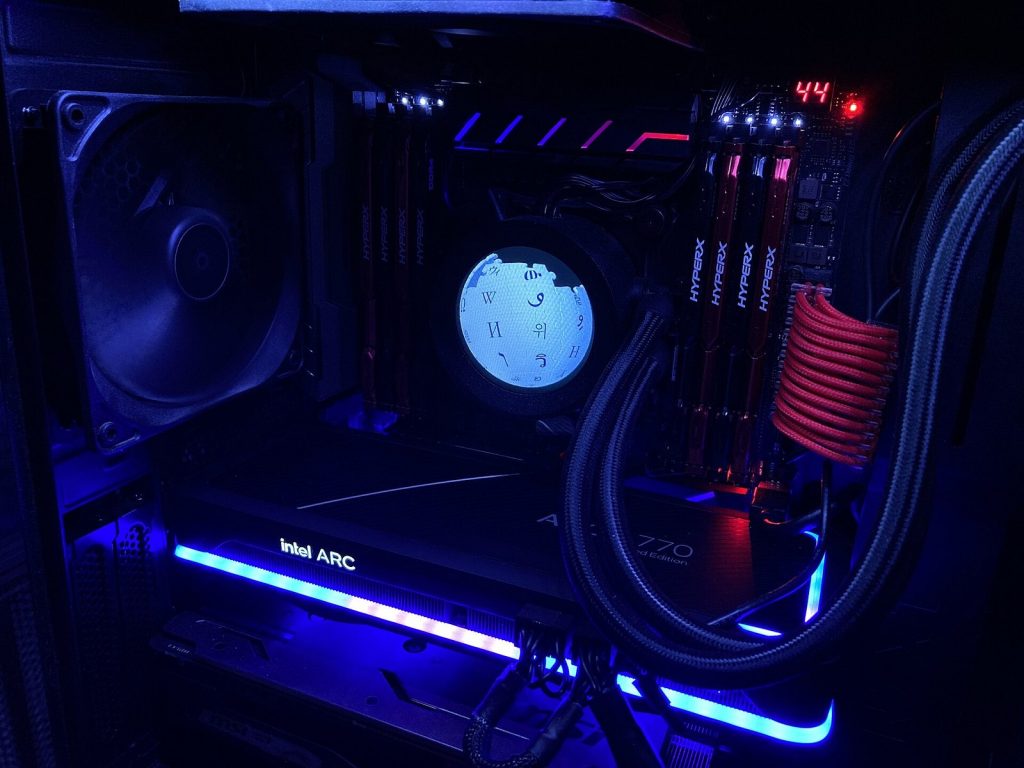
Intel Arc GPUs contain XMX (Xe Matrix eXtensions) engines, dedicated units for the matrix math neural networks rely on. On Arc hardware, XeSS runs its network on these units. This is the “full” version of XeSS, comparable in concept to how DLSS uses NVIDIA’s Tensor Cores.
The DP4a path
On GPUs without XMX, including many from other vendors and older generations, XeSS falls back to DP4a, an instruction that performs packed 8-bit integer dot products on ordinary shader cores. Intel’s SDK documentation says XeSS-SR runs on GPUs that support Shader Model 6.4 with DP4a. Because shader cores are less efficient at this work than dedicated matrix engines, the DP4a path uses a lighter-weight approach, so its performance gain and image quality are generally not identical to the XMX version.
This two-path design was a deliberate choice. It let developers integrate one upscaler that could run with ML acceleration on Intel hardware and still work, in a scaled-back form, on a wide range of other GPUs. It sits between NVIDIA’s approach (ML upscaling restricted to its own hardware) and AMD’s original FSR approach (hand-tuned algorithms that run almost anywhere).
Quality modes and scale factors
Like other upscalers, XeSS exposes presets that set the ratio between output and internal resolution. In XeSS 1.3, Intel revised its presets, adding new modes and lowering the internal resolution of several existing ones. The current scale factors are per axis:
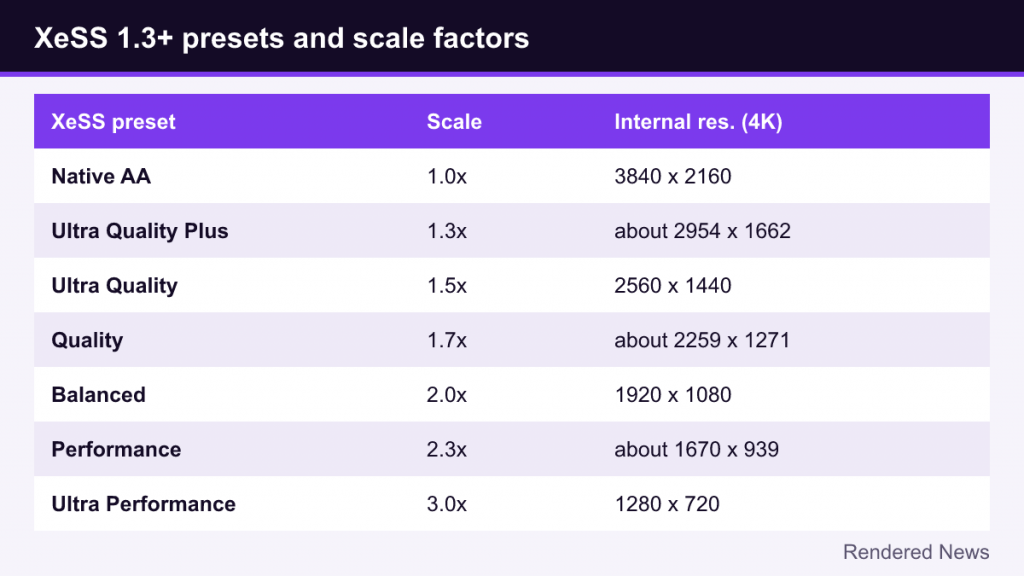
| Preset (XeSS 1.3 and later) | Scale factor (per axis) | Internal resolution for 4K output |
|---|---|---|
| Native Anti-Aliasing | 1.0x | 3840 x 2160 |
| Ultra Quality Plus | 1.3x | about 2954 x 1662 |
| Ultra Quality | 1.5x | 2560 x 1440 |
| Quality | 1.7x | about 2259 x 1271 |
| Balanced | 2.0x | 1920 x 1080 |
| Performance | 2.3x | about 1670 x 939 |
| Ultra Performance | 3.0x | 1280 x 720 |
Two practical consequences follow. First, a preset name in one upscaler doesn’t necessarily match the same name in another. XeSS “Quality” at 1.7x renders fewer pixels than the 1.5x “Quality” mode used by DLSS and FSR. Second, games using older XeSS versions may label the same ratios differently. When comparing, look at the actual scale factor or internal resolution rather than the label.
Native Anti-Aliasing runs XeSS at full resolution, using the network purely as an anti-aliasing solution instead of an upscaler, similar in spirit to NVIDIA’s DLAA.
XeSS 2: frame generation and XeLL
Intel introduced XeSS 2 in December 2024, alongside its second-generation Arc graphics. It added two features on top of Super Resolution.
XeSS Frame Generation
XeSS-FG creates an additional frame between each pair of rendered frames, using AI-based interpolation driven by motion vectors and optical flow. The result is a higher displayed frame rate and smoother motion. As with every frame generation technology, the generated frames don’t respond to input, and the technique adds some latency because the newest real frame must be held back while the in-between frame is presented. Our frame generation explainer covers these trade-offs in detail, including why a decent base frame rate matters.
At launch, XeSS-FG targeted Intel Arc hardware. According to Intel’s XeSS SDK documentation, frame generation is now also available on non-Intel GPUs that support Shader Model 6.4.
Xe Low Latency (XeLL)
XeLL reduces the delay between a player’s input and the result appearing on screen, mainly by keeping the CPU from running too far ahead of the GPU and building up a queue of frames. This makes it the same category of tool as NVIDIA Reflex and AMD Anti-Lag. In the XeSS suite it matters most when frame generation is on, since it offsets part of the latency that interpolation adds. Intel’s SDK documentation says XeLL works on Arc GPUs, and on non-Intel GPUs when combined with XeSS-FG.
XeSS 3: multi frame generation
XeSS 3 added Multi Frame Generation. Instead of inserting a single generated frame between rendered frames, XeSS-MFG can generate up to three, for up to four displayed frames per rendered frame. Intel describes this as up to 4x the frames, similar in concept to NVIDIA’s DLSS 4 Multi Frame Generation.
Intel says multi frame generation is exclusive to its Arc graphics, including both the Alchemist and Battlemage generations. Intel has also said games supporting XeSS 2 would be able to use XeSS 3 when it arrived, because they already provide the inputs frame generation needs.
The usual caveats apply even more strongly with multiple generated frames. Higher multipliers make motion look smoother, but responsiveness is still tied to the rendered frame rate, and artifacts on UI elements and fast motion become more visible if the base frame rate is low. Multi frame generation is best understood as a way to make good performance look smoother on high-refresh displays, not as a fix for poor performance.
How games integrate XeSS
From a developer’s perspective, XeSS needs the same core inputs as other temporal upscalers:
- The color buffer rendered at internal resolution.
- Per-pixel motion vectors.
- The depth buffer.
- Camera jitter offsets, since the game shifts its sample positions slightly each frame so the upscaler can gather new detail.
Frame generation additionally needs information such as the user interface (so the HUD isn’t distorted when frames are interpolated) and correct pacing of presented frames. Because these inputs overlap heavily between upscalers, many games offer XeSS alongside DLSS and FSR, and engine plugins for Unreal Engine and Unity reduce integration effort. Intel distributes the XeSS SDK through its public GitHub repository.
XeSS compared with DLSS and FSR, in brief
Our DLSS explainer and FSR explainer cover the other two in depth. In short:
- DLSS is ML-based and runs on NVIDIA RTX hardware only.
- FSR started as hand-tuned, vendor-agnostic algorithms; FSR 4 and the Redstone suite moved to machine learning on newer AMD hardware.
- XeSS is ML-based on Intel hardware with dedicated XMX units, with a DP4a fallback that brings a version of it to other vendors’ GPUs.
What to look for in XeSS image quality
Every temporal upscaler has characteristic weak spots, and checking them is the best way to judge a preset in a particular game:
- Thin, high-contrast detail such as power lines, fences and hair can shimmer or break up at aggressive presets.
- Disocclusion, areas newly revealed when an object moves, has no history to draw on and can look softer or noisier for a few frames.
- Particles and transparent effects often lack accurate motion vectors, which can cause smearing or ghost trails.
- Sharpness varies by game, since developers tune the sharpening applied after upscaling.
These issues are not unique to XeSS, and how visible they are depends heavily on how well each game supplies motion vectors and masks for the upscaler.
Common misconceptions
- “XeSS only works on Intel GPUs.” Super Resolution runs on many GPUs that support Shader Model 6.4 via DP4a, and frame generation has also been opened to non-Intel GPUs. Multi frame generation, however, is Arc-only.
- “XeSS looks the same everywhere.” The XMX and DP4a paths differ, so results on an Arc GPU and another GPU are not necessarily identical.
- “Quality mode means the same internal resolution in every upscaler.” Since XeSS 1.3, XeSS presets use different ratios from DLSS and FSR presets with the same names.
- “Frame generation reduces input lag.” It does the opposite; XeLL exists partly to compensate.
How to use XeSS sensibly
If a game offers XeSS, a reasonable approach is to start with a higher-quality preset at your target output resolution and step down only if needed, comparing fine details like foliage, hair and thin wires in motion, not just in still screenshots. Enable XeLL whenever frame generation is on, and use frame generation when your base frame rate is already reasonably playable. And because preset names vary between upscalers and versions, judge by image quality and responsiveness rather than labels.