Nanite Explained: How Unreal Engine 5 Renders Billions of Triangles
How Unreal Engine 5's Nanite works: triangle clusters, a hierarchy of detail, streaming, software rasterization of tiny triangles, and its limits.
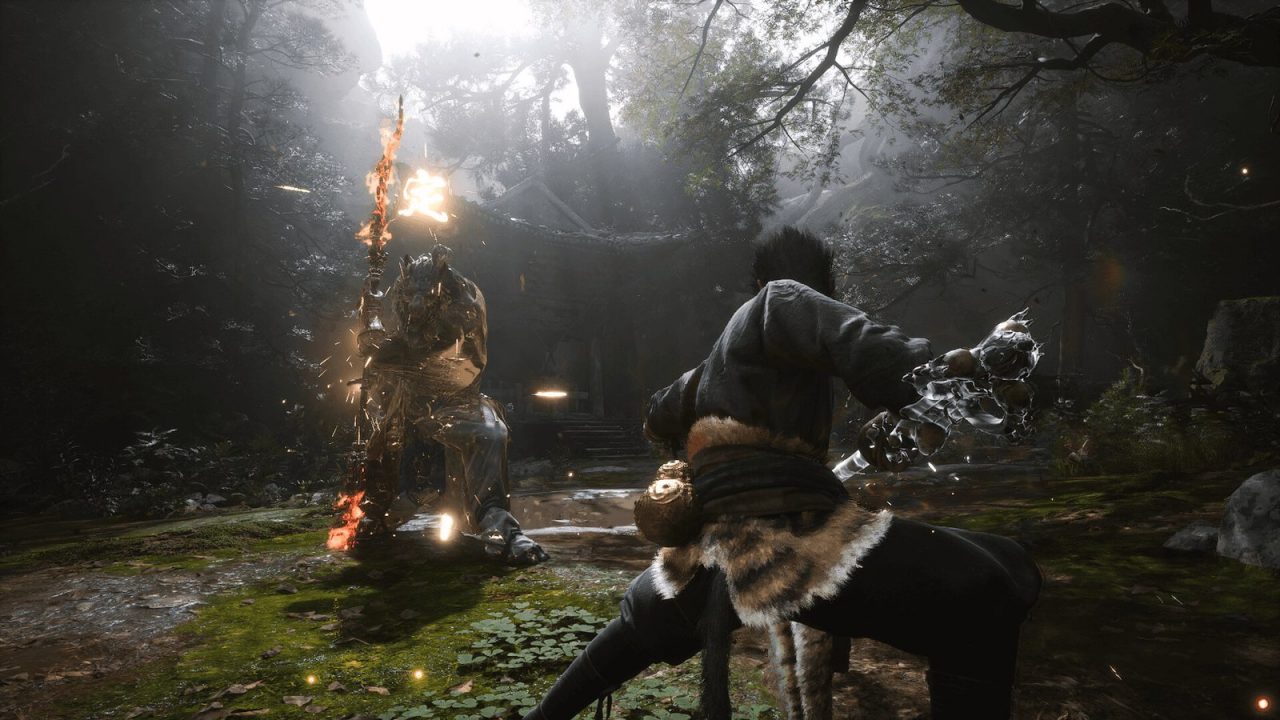
When Epic Games first showed Unreal Engine 5 in 2020, the line that grabbed attention was that artists could import film-quality assets with millions of polygons and the engine would just handle it. No manual level-of-detail models, no baking every surface detail into normal maps, no worrying about polygon counts. The technology behind that claim is Nanite, which Epic calls a virtualized geometry system.
“Billions of triangles” sounds like magic, and like most rendering magic it is really a set of clever trade-offs. This article explains the problem Nanite solves, how it works step by step, what it replaced, and where it still has limits as of the Unreal Engine 5.x releases in 2026.
The problem: geometry has always been budgeted
In a traditional real-time renderer, every triangle in view costs work. Triangles have to be transformed by vertex shaders, set up and rasterized into pixels, as covered in our guide to how rasterization works. Every separate mesh also usually means at least one draw call from the CPU. So artists work to strict budgets.
The classic tools for staying within budget are:
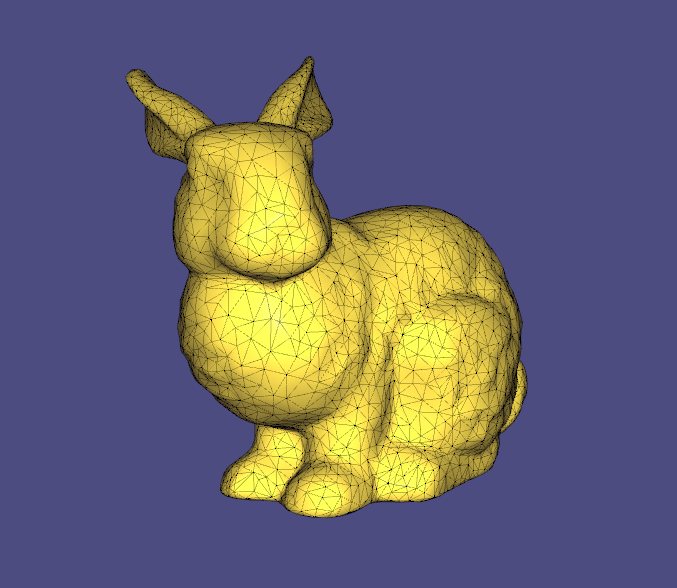
- Levels of detail (LODs): each model has several versions with fewer triangles. The engine swaps to simpler versions as objects get farther away. LODs take time to create and tune, and the switch is often visible as “popping.”
- Normal maps: artists sculpt a very detailed high-poly model, then bake its surface detail into a texture that fakes bumps and grooves on a much simpler low-poly mesh.
- Draw call management: combining meshes and instancing to keep the CPU from being overwhelmed.
There is also a less obvious problem. GPUs are inefficient with very small triangles. Hardware rasterizers process pixels in small blocks (typically 2×2 quads), so a triangle covering only one pixel still costs work for several. When triangles shrink to pixel size, a lot of GPU effort is wasted.
The core idea: detail proportional to pixels
Nanite’s guiding principle is that there is no point drawing more triangles than the screen has pixels to show them. A 1440p frame has about 3.7 million pixels; a mesh that covers a quarter of the screen never needs more than roughly that many triangles’ worth of detail, however dense the source asset is. If the engine can always pick about one triangle per pixel and skip the rest, the cost of rendering becomes tied to screen resolution rather than to the total triangle count of the scene.
That is the meaning of “virtualized” geometry, borrowed from virtual texturing and virtual memory: the full data exists, but only the portion needed for the current view is loaded and processed.
How Nanite works, step by step
1. Building clusters at import
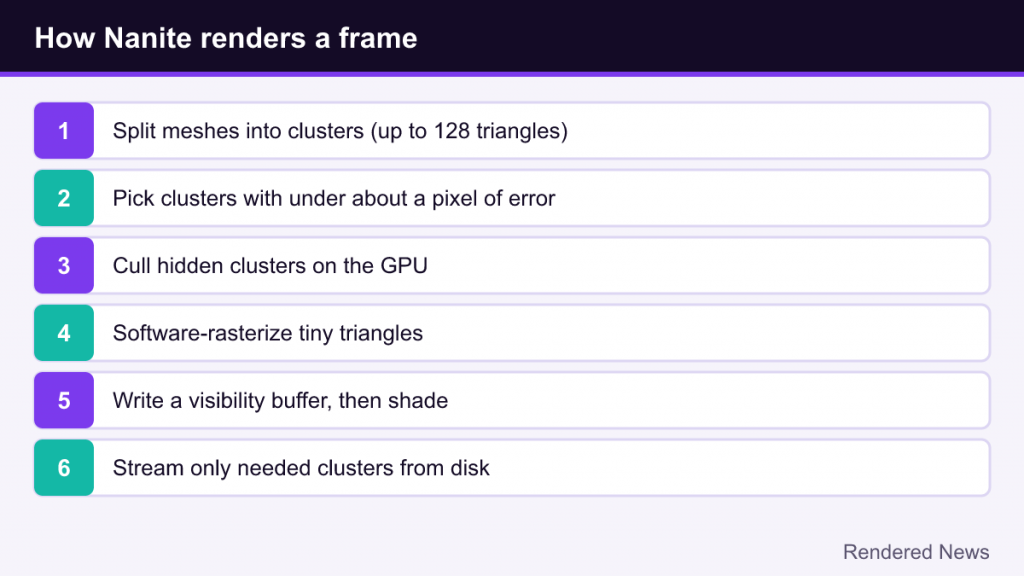
When a mesh is enabled for Nanite, the engine preprocesses it. The mesh is split into small clusters of triangles; Epic’s SIGGRAPH 2021 presentation describes clusters of up to 128 triangles. Clusters are then grouped and simplified repeatedly, producing coarser versions of the mesh at each step. The result is a hierarchy of clusters, organized as a graph, from the full-detail original down to a very simplified version.
A key detail is how Nanite avoids cracks. If neighboring areas of a mesh are drawn at different levels of detail, their edges can fail to line up, leaving visible gaps. Nanite’s build process locks the shared boundaries between groups of clusters while simplifying, so that neighboring clusters at different detail levels still join seamlessly. Epic’s documentation describes this as clusters switching LOD based on the camera view while joining “without cracks.”
2. Choosing clusters every frame
Each simplified cluster stores an error value describing how much it differs from the original. At runtime, Nanite walks the hierarchy on the GPU and selects, for each part of each mesh, the coarsest clusters whose error would be smaller than about a pixel on screen. Up close, it picks the fine original clusters; far away, it picks coarse ones. Because this happens per cluster rather than per object, a single huge rock can be detailed where it is close to the camera and simple where it stretches into the distance.
3. Culling what cannot be seen
Nanite culls aggressively on the GPU. Clusters outside the view are discarded, and occlusion culling removes clusters hidden behind other geometry, using a depth pyramid built from what was visible in the previous frame and refined in the current one. The CPU is largely kept out of this process, which is why Epic says Nanite bypasses traditional draw calls and why scenes can contain huge numbers of objects.
4. Rasterizing tiny triangles in software
Here is one of Nanite’s most surprising tricks. For clusters whose triangles are very small on screen, Nanite uses a software rasterizer running in compute shaders instead of the GPU’s fixed-function rasterization hardware. For pixel-sized triangles, this custom path is faster because it avoids the hardware’s quad overhead. Larger triangles still go through the hardware rasterizer, which remains better for them.
5. A visibility buffer, then shading
Rather than shading each triangle as it is drawn, Nanite first writes a compact visibility buffer recording which cluster and triangle covers each pixel, along with depth. Materials are then applied in a separate pass, once per visible pixel. This keeps overdraw costs down and decouples geometric complexity from material cost.
6. Streaming from disk
Only the clusters that are needed are kept in GPU memory, and the rest stream in on demand as the camera moves. Nanite’s data format is heavily compressed; Epic notes that Nanite meshes typically take less memory and disk space than traditional meshes with LODs. Because data streams constantly, Epic recommends fast SSD storage.
What Nanite replaces, and what it does not
For supported meshes, Nanite effectively removes the need for manual LOD chains, and with them most LOD popping. It also allows far more geometric detail to be real geometry rather than normal-map illusion, which helps silhouettes, shadows and close-up shots. Combined with Unreal’s Virtual Shadow Maps, which are designed to work with Nanite’s density, it enables very detailed shadowing as well.
What Nanite does not do is make rendering free. Materials, lighting, post-processing and resolution still cost what they cost. Epic’s documentation stresses that limits like instance counts, triangles per mesh, material complexity and output resolution should be measured for each project and hardware target. Nanite moves the bottleneck away from triangle counts; it does not remove bottlenecks altogether.
Limitations and how they have changed
Nanite launched with a narrow scope: static, opaque meshes. Over the 5.x releases, Epic has widened it considerably, but there are still constraints. According to Epic’s current documentation:
- Materials: only Opaque and Masked blend modes are supported. Translucent materials and mesh decals are not.
- Rendering modes: forward rendering, stereo VR rendering, MSAA and some culling options are not supported, which is one reason many VR projects avoid Nanite.
- World Position Offset: vertex animation via WPO works but has costs and caveats, so large displacements should be limited.
- Ray tracing: by default, ray tracing uses a lower-detail fallback mesh rather than the full Nanite geometry, though Epic has an experimental mode for native Nanite ray tracing.
- Hardware: Nanite requires DirectX 12 with Shader Model 6 on PC, or equivalent modern console support.
Features added over time
Several former limitations have been addressed with newer features:
- Tessellation and displacement: Nanite can apply displacement maps or procedural displacement at runtime, and also bake displacement offline into an optimized mesh, adding surface detail without huge source assets.
- Skeletal meshes: animated characters can now use Nanite, with animation-based LODs instead of geometry LODs, though features like morph targets are not supported.
- Landscapes and splines: terrain and spline meshes can be rendered with Nanite.
- Foliage: dense, animated vegetation has long been difficult for Nanite. Unreal Engine 5.7 introduced an experimental Nanite Foliage approach using instancing, skinned meshes and voxelization for dense plants and trees.
Because these features mature release by release, always check the documentation for the exact engine version you are using.
What Nanite means for players
From a player’s point of view, Nanite shows up in a few ways. Environments can contain much more fine geometric detail, especially rocks, architecture and ruins. Object pop-in from LOD switching is much less visible on Nanite meshes, although other systems (foliage, shadows, streaming textures) can still pop. And because Nanite and Lumen are designed to work together in Unreal Engine 5, games using both tend to be demanding, often relying on upscaling to reach their frame-rate targets. Our Unreal Engine 5 overview covers how these systems fit into the wider engine.
There is usually no “Nanite” toggle in a game’s settings menu, because the game’s assets are built around it. Instead, settings like resolution, upscaling mode, shadow quality and global illumination quality influence how heavy a Nanite scene feels.
Common misconceptions
- “Nanite renders billions of triangles every frame.” Not quite. Scenes can contain billions of source triangles, but Nanite only rasterizes roughly as many as are needed to cover the screen at pixel-level detail.
- “Nanite makes optimization unnecessary.” It removes certain kinds of optimization work (LOD authoring, polygon budgets for supported meshes), but materials, overdraw from masked foliage, lighting and memory all still need care.
- “Nanite is a form of tessellation.” Classic hardware tessellation adds triangles to simple meshes. Nanite mostly does the opposite: it selects a simplified subset of very dense meshes. Newer displacement features add a tessellation-like option, but the core system is about selection and streaming.
- “Every UE5 game uses Nanite.” It is optional. Projects targeting VR, mobile or lower-end hardware often use traditional meshes and LODs.
Why Nanite matters
Real-time graphics have always been shaped by triangle budgets, and entire workflows were built around faking detail the hardware could not afford. Nanite changed the starting assumption for supported content: instead of asking how few triangles an object can get away with, artists can author detail and let the engine decide how much of it each frame needs. It does not solve every rendering problem, but it shifted a long-standing limit of game graphics in a way few techniques have.