What Is a Game Engine? The Building Blocks Behind Every Game
What a game engine is, the subsystems inside it (rendering, physics, audio, scripting, tools), and why studios license engines like Unreal or build their own.
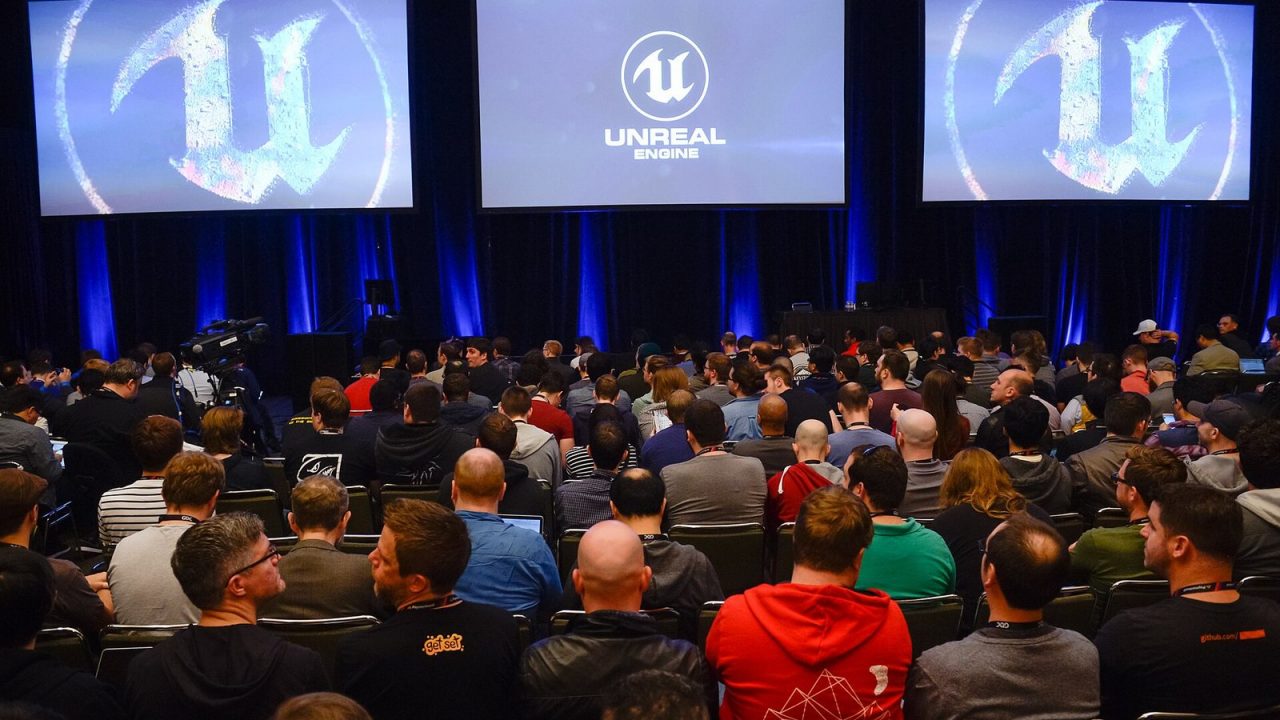
When people talk about a game “running on Unreal” or “built in Unity,” they are referring to its engine: the software foundation that handles everything a game needs to do except being that particular game. An engine draws the graphics, plays the sounds, simulates physics, reads the controller, loads the levels and packages the result for each platform. Understanding what sits inside an engine explains a lot about how games are made, why some games share a certain look or feel, and why studios make very different choices about which engine to use.
A working definition
A game engine is a reusable collection of software systems and tools for building and running interactive games. The key word is reusable. Code that only makes sense for one game, such as the rules of a specific card game or the behavior of a particular boss, is game code. Code that would be useful in many games, such as drawing 3D models, detecting collisions or streaming audio, belongs in the engine.
The line is not always sharp. An engine built for open-world shooters will include systems for large terrains and vehicles that a puzzle game never needs. Still, the general idea holds: the engine provides the capabilities, and the game uses them to create a specific experience.
Modern engines are usually two things at once:
- A runtime: the code that ships inside the finished game and runs on the player’s machine.
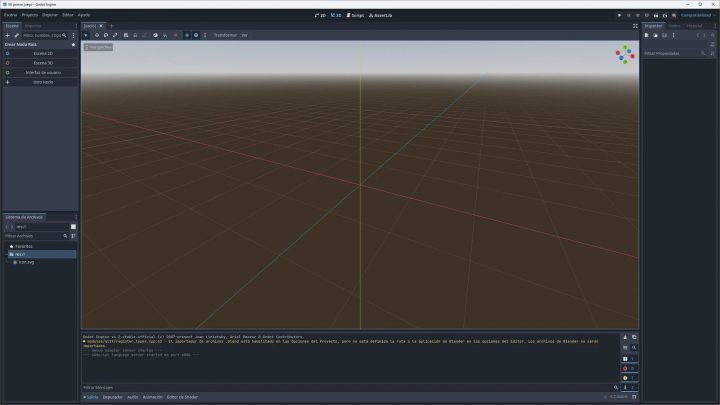
- An editor and toolset: the applications developers use to build levels, import assets, write scripts and test the game.
The core subsystems
Renderer
The renderer turns the game world into images. It manages the graphics API (DirectX, Vulkan, Metal or console-specific APIs), materials and shaders, lighting and shadows, post-processing, and increasingly ray tracing and upscaling. It decides what is visible each frame and issues the draw calls the GPU executes. Our explainer on how rasterization works describes the pipeline a renderer drives. The renderer is often the most visible part of an engine, and it is a big reason games on the same engine can share a recognizable look.
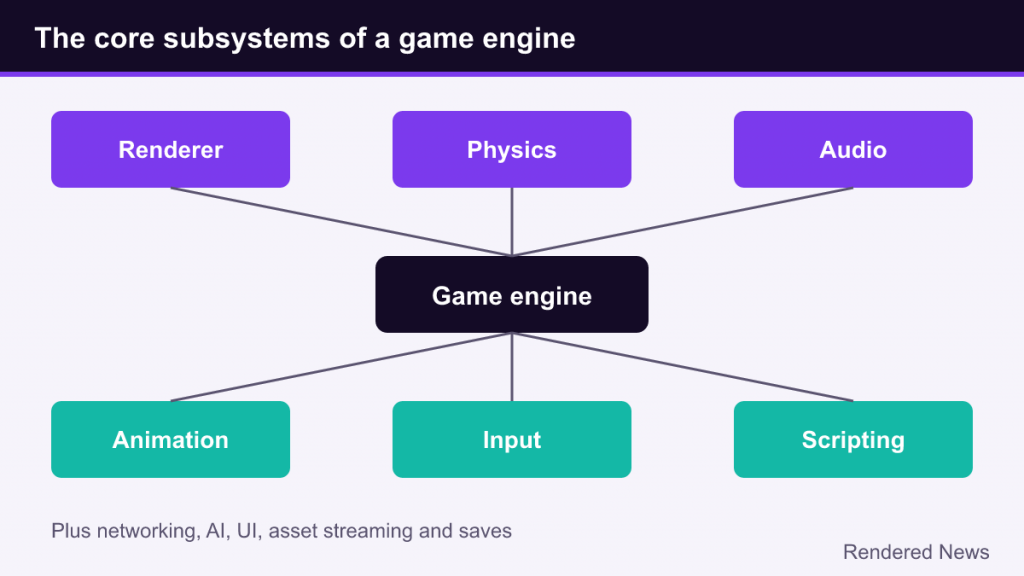
Physics
The physics system detects collisions and simulates how objects move and react: falling crates, ragdoll characters, vehicles, cloth and destruction. Some engines include their own physics (Unreal Engine’s Chaos), while others integrate dedicated libraries. Well-known examples include Havok, NVIDIA PhysX and the open-source Jolt Physics.
Audio
The audio system plays sound effects, music and dialogue, positions sounds in 3D space, applies effects like reverb and occlusion, and mixes everything together. Many studios pair engines with dedicated audio middleware such as Wwise or FMOD, which give sound designers their own authoring tools.
Animation
Animation systems play and blend skeletal animations, run state machines that decide which animation should play (idle, walk, run, jump), and apply procedural adjustments such as inverse kinematics so feet plant correctly on uneven ground.
Input
The input system reads keyboards, mice, controllers and touch screens, and maps raw button presses to game actions. Good input systems allow rebinding and support many devices without changing game code.
Scripting and gameplay framework
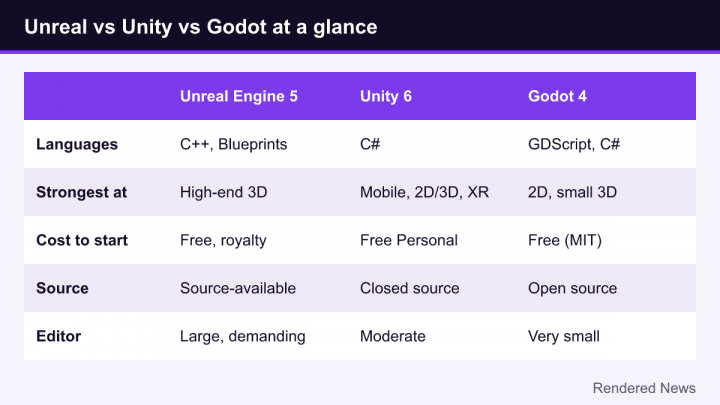
Engines provide a way to write game logic. That might be the engine’s main programming language (C++ in Unreal, C# in Unity, GDScript or C# in Godot), a visual scripting system like Unreal’s Blueprints, or both. Most engines also provide a gameplay framework: standard concepts like actors or game objects, components, scenes, cameras and player controllers that give every project a common structure.
Other common systems
- Networking: replication of game state between players in online games.
- AI and navigation: pathfinding meshes and behavior trees for non-player characters.
- User interface: menus, HUDs and text rendering, including localization.
- Memory and resource management: loading and unloading assets as the player moves through the world.
- Save systems, platform services and achievements through platform-specific layers.
The parts players never see: assets, editor and builds
Some of an engine’s most important features exist only on the developer’s side.
The asset pipeline imports content made in other tools, such as 3D models from Blender or Maya, textures from Substance or Photoshop, audio files, and converts it into formats optimized for the game. Textures are compressed into GPU-friendly formats, models are processed for level of detail, and everything is packaged for fast loading. A good pipeline is what lets an artist change a model and see the result in the game in seconds.
The editor is where most day-to-day development happens. Level designers place objects and lighting, animators set up characters, designers tweak values, and everyone can press a button to play the game immediately inside the editor. The faster this loop of change, test and adjust becomes, the more iterations a team can make, which tends to improve the final game.
Build and deployment tools compile code, cook assets for each target platform and produce installable packages for PC, consoles and mobile devices. Supporting multiple platforms from one project is one of the biggest practical reasons to use an established engine, because each platform has its own graphics APIs, input conventions, memory limits and certification requirements.
Engines also ship profilers and debuggers that show where frame time is going, how much memory is used and which assets are loaded. Without them, optimizing a game would mostly be guesswork.
Commercial, open-source and in-house engines
Engines fall into three broad categories.
Commercial engines
These are licensed to other developers by the company that makes them. The best-known examples are Unreal Engine from Epic Games and Unity from Unity Technologies. Both are used by everyone from solo hobbyists to large studios, run on a very wide range of platforms, and come with large ecosystems of documentation, tutorials and asset marketplaces. Unreal is particularly associated with high-end 3D, while Unity has historically been very strong in mobile and smaller-scale projects, though both cover far more ground than those reputations suggest. Their licensing terms differ and change over time, so it is always worth checking the official pages.
Open-source engines
Godot is the most prominent example: free, released under the permissive MIT license, and developed by a community with support from the non-profit Godot Foundation. Developers can read and modify every line of the engine and owe no royalties. Open-source engines are popular with indie developers and with teams that want full control over their technology.
In-house (proprietary) engines
Many large studios build engines for their own use. Examples include Frostbite at Electronic Arts, RE Engine at Capcom, Decima at Sony’s Guerrilla Games, the id Tech engines at id Software, and Source 2 at Valve. These are tailored to the kinds of games those studios make and are generally not licensed out as commercial products, although some have been shared with partner studios.
Why studios license an engine or build their own
Choosing between a licensed engine and a custom one is one of the biggest technical decisions a studio makes.
Reasons to license an existing engine:
- Time: years of engine development are already done, so a team can start on the actual game immediately.
- Platform support: the engine vendor handles much of the work of supporting new consoles, graphics APIs and operating systems.
- Hiring: many developers already know Unreal or Unity, which makes onboarding easier.
- Features: modern rendering, animation and tools that would be expensive to build from scratch.
- Ecosystem: plugins, marketplaces, tutorials and community knowledge.
Reasons to build or keep an in-house engine:
- Specialization: an engine designed around one type of game can be faster and better suited to it.
- Control: no dependence on another company’s roadmap, pricing or licensing changes.
- No royalties or fees owed on each release.
- Accumulated expertise: a studio’s engine can carry a decade or more of optimizations for its specific needs.
The trade-off is cost. Maintaining a proprietary engine requires a dedicated engine team, ongoing work for every new platform and feature, and custom tools that new hires must learn. That is why some studios with long-standing in-house technology have moved to commercial engines for new projects. CD Projekt Red, for example, announced in 2022 that its next Witcher game would be made in Unreal Engine 5 rather than its own REDengine.
Common misconceptions
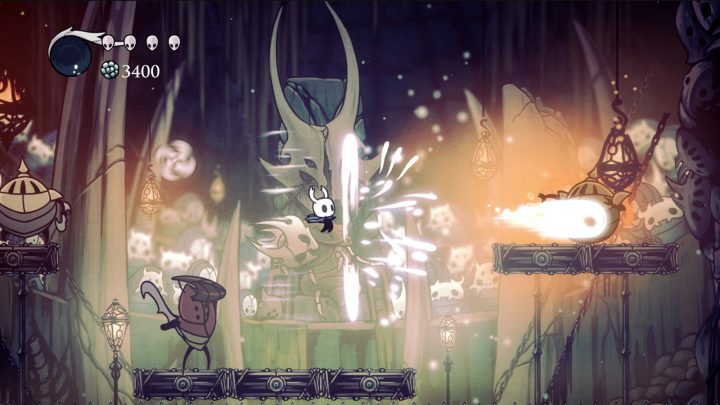
“The engine determines how good a game looks.” The engine sets the capabilities and defaults, but art direction, lighting work and optimization by the team matter more. Very different-looking games ship on the same engine.
“Using an engine means the game is easy to make.” An engine removes the need to write a renderer from scratch, but it does not design levels, write stories, balance mechanics or create art. Most of a game’s development effort goes into the game itself.
“Games on the same engine perform the same.” Performance depends heavily on how a game uses its engine: scene complexity, streaming design and how much a team has optimized. Two games on the same engine version can behave very differently.
“Big studios always use their own engine.” Many large teams use Unreal Engine, and some smaller studios maintain custom engines because their games have unusual requirements.
Engines and the graphics you see
For readers interested in rendering, the engine is where techniques like those described in our ray tracing explainer are actually implemented and exposed as settings. When an engine adds a new rendering feature, every game built on a version of it can potentially use that feature, which is why engine updates can shift the look of a whole generation of games. Understanding engines, then, is a shortcut to understanding why so many modern games share their strengths, and sometimes their weaknesses.