Godot Engine Explained: The Free, Open-Source Game Engine
What makes Godot different: the MIT license, scenes and nodes, GDScript and C#, its strong 2D tools, Godot 4's renderers and the games built with it.
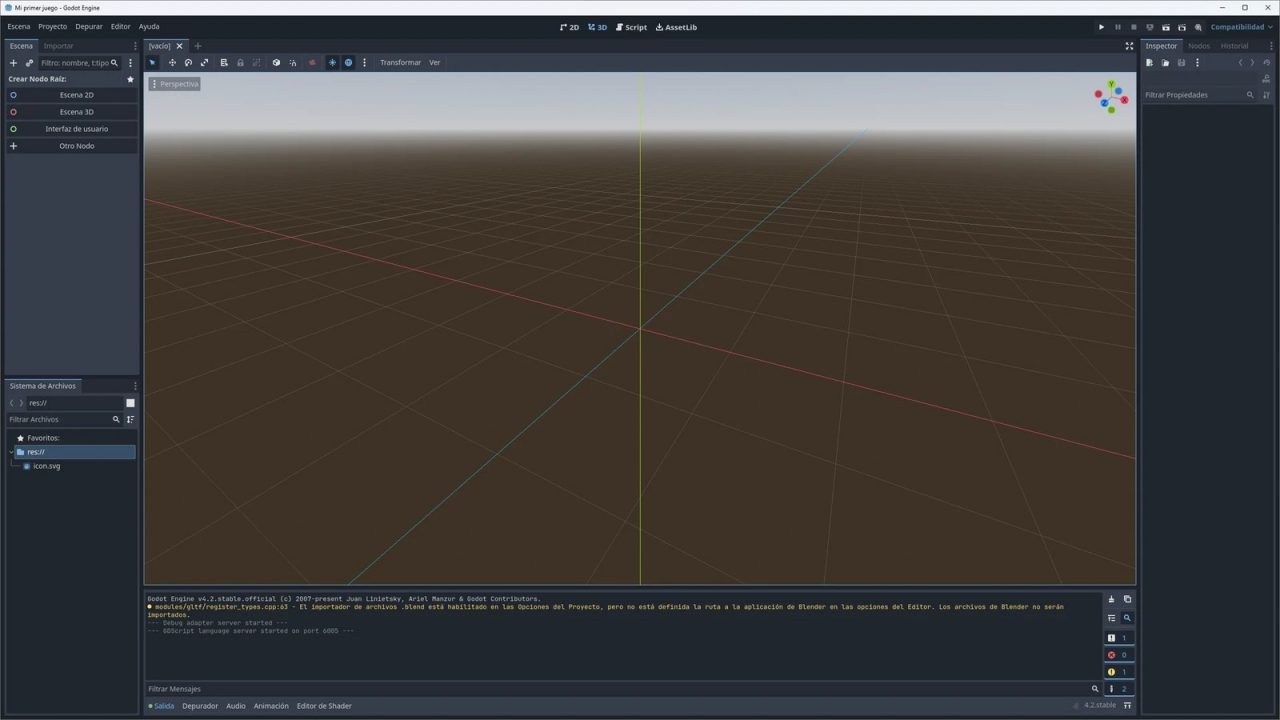
Godot is the engine people turn to when they want something free, small and entirely theirs. There is no subscription, no royalty, no account to create and no splash screen requirement. You download a compact editor, open it, and start building. That simplicity hides a capable engine that has shipped commercial hits in both 2D and 3D.
This article explains what Godot is, how its scene-and-node design works, which languages you can use, how the Godot 4 renderer is built, who runs the project and which games have been made with it. If you are still getting oriented, our overview of what a game engine is covers the general building blocks first.
Where Godot came from
Godot was created by Argentine developers Juan Linietsky and Ariel Manzur, who had used earlier versions of it in-house for years on contract work. In January 2014 they released the source code publicly under the MIT license, and version 1.0 followed on December 15, 2014. Since then, development has been driven by a large community of contributors, with a small group of paid maintainers funded by donations and sponsorships.
Major milestones include Godot 3.0 in 2018, which introduced a modern physically based 3D renderer, and Godot 4.0 on March 1, 2023, a large rewrite of the rendering architecture and many core systems. Since then the 4.x series has delivered regular feature releases. As of October 2026, the current stable branch is Godot 4.7 (released in June 2026, followed by 4.7.x maintenance updates), with Godot 4.8 in development.
The MIT license and the Godot Foundation
Godot’s license is the single most distinctive thing about it. The MIT license is one of the most permissive open-source licenses in existence. In plain terms:
- You can use Godot for any purpose, including commercial games, without paying anything.
- Your game’s code and assets belong entirely to you. Godot claims no share of revenue.
- You can modify the engine itself and keep those modifications private if you wish.
- The main obligation is to include Godot’s copyright and license notice with your game, which is commonly done in the credits or an about screen.
Because the code is public, no company can retroactively change the terms for code you already have. That guarantee became a major talking point in 2023, when controversy over Unity’s proposed runtime fee pushed many developers to look at Godot seriously.
For most of its history, Godot was a member project of the Software Freedom Conservancy, a nonprofit that handled its finances. In November 2022 the project announced the newly formed Godot Foundation, a nonprofit dedicated to supporting Godot’s development, managing donations and paying contributors. The foundation does not own the engine in the way a company owns a product; the code stays open and MIT-licensed.
Scenes and nodes: how Godot is organized
Everything in Godot is built from nodes. A node is a single building block with one job: a Sprite2D shows an image, a CollisionShape2D defines a hitbox, a Camera3D views the world, an AudioStreamPlayer plays sound, a Timer counts down, a Label displays text.
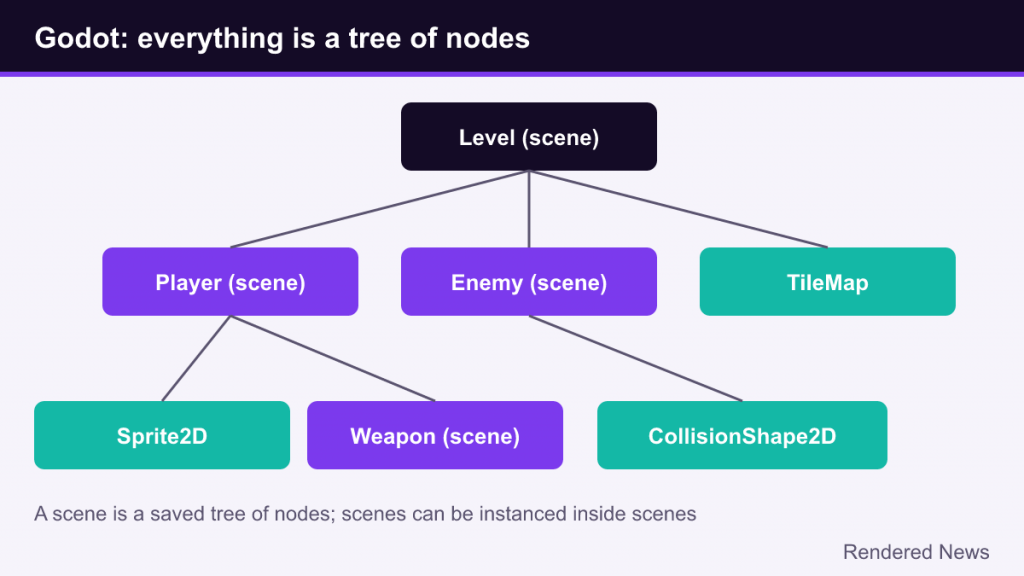
Nodes are arranged in a tree, and a saved tree of nodes is a scene. The clever part is that scenes are used for everything, at every scale:
- A bullet is a scene (a sprite, a collision shape, a script).
- The player is a scene, which may contain a weapon scene.
- A level is a scene containing the player scene, enemy scenes and tilemaps.
- The whole game, including menus, is a tree of scenes.
A scene can be instanced inside another scene as many times as you like, and edits to the original propagate to every instance. If you know Unity, this combines the roles of GameObjects, components and prefabs in a single concept, which many beginners find easier to reason about. Our Unity explainer describes that engine’s component model if you want to compare them.
Signals
Nodes communicate through signals, Godot’s version of the observer pattern. A button emits a “pressed” signal; a health component might emit “died.” Other nodes connect to those signals and react, without the emitting node needing to know who is listening. Signals keep scenes loosely coupled, so a player scene can be dropped into any level without hard-coded references.
Languages: GDScript, C# and GDExtension
GDScript
GDScript is Godot’s built-in scripting language. Its syntax is indentation-based and looks a lot like Python, but it is designed specifically for Godot: it integrates tightly with nodes, signals and the editor, and supports optional static typing for better error checking and performance. Because it lives inside the engine, there is nothing extra to install, and the built-in editor offers autocompletion and documentation lookups for every engine class.
C#
Godot also supports C# through .NET, distributed as a separate editor download. C# is useful for developers coming from Unity or general .NET work and for code that benefits from a mature language ecosystem. Platform support for C# projects has historically lagged slightly behind GDScript, so check the documentation for your target platforms, especially web exports.
GDExtension and the source code
For performance-critical systems, GDExtension lets developers write native code (officially in C and C++) that plugs into the engine without recompiling it. Community bindings exist for other languages such as Rust. And because the engine is open source, teams can modify Godot itself and compile a custom build, as several commercial projects have done.
2D strength and the Godot 4 renderer
A real 2D engine
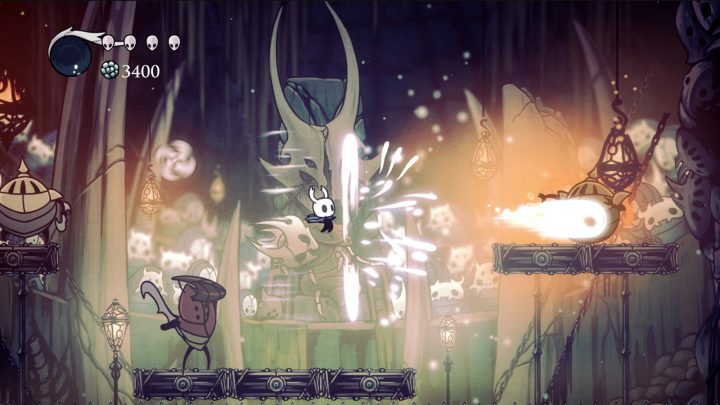
Many engines handle 2D by drawing flat sprites in a 3D world. Godot has a dedicated 2D engine with its own coordinate system in pixels, its own nodes, 2D lights and shadows, tilemaps with terrain auto-tiling, 2D physics and 2D particle systems. This is a big reason Godot is so popular for pixel-art games, platformers and top-down action games.
Three rendering methods
Godot 4 rebuilt 3D rendering around a low-level abstraction called RenderingDevice, which runs on modern graphics APIs: Vulkan, Direct3D 12 on Windows and Metal on Apple platforms. On top of that, projects choose one of three rendering methods:
| Rendering method | Built on | Best for |
|---|---|---|
| Forward+ | Modern APIs (Vulkan, D3D12, Metal) | Desktop 3D games with many lights and advanced effects |
| Mobile | Modern APIs (Vulkan, D3D12, Metal) | Mobile and simpler desktop scenes; fewer features, lower overhead |
| Compatibility | OpenGL 3.3 / OpenGL ES 3.0 / WebGL 2 | Older and low-end hardware, and web exports |
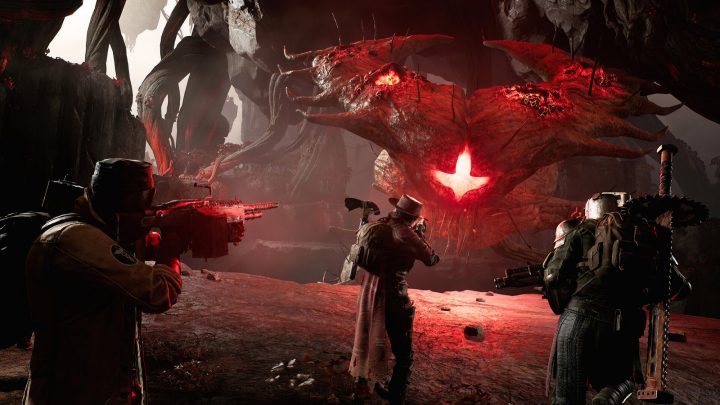
Forward+ uses a clustered forward approach that handles many dynamic lights efficiently, and includes features such as SDFGI (a real-time global illumination technique), volumetric fog, screen-space effects and support for temporal upscaling with FSR. It does not try to match Unreal Engine 5’s headline features like virtualized geometry, but it is capable of good-looking 3D in the right hands.
Physics
Godot ships with its own physics engines for 2D and 3D. In Godot 4.4 the open-source Jolt physics library was integrated as an option for 3D, and in Godot 4.6 Jolt became the default 3D physics engine for new projects, while existing projects keep their current setting.
What working in Godot feels like
The editor is a compact download that needs no installer, launches quickly and runs on modest machines, which makes it practical for students, game jams and laptops. Godot 4.6 introduced a refreshed “Modern” editor theme and more flexible, floatable docks. The editor itself is built with Godot’s own UI system, which also means the UI tools you use for in-game menus are solid.
Exports cover Windows, macOS, Linux, Android, iOS and the web. Console releases are a special case: because console SDKs are under non-disclosure agreements, they cannot be included in an open-source engine. Developers who want to ship on consoles typically work with third-party porting companies or publishers that maintain console builds of Godot.
Games made with Godot
Godot’s commercial track record has grown quickly. Notable examples include:
- Brotato (Blobfish), a fast arena roguelite that became a breakout indie success.
- Dome Keeper (Bippinbits), a mining-and-defense game.
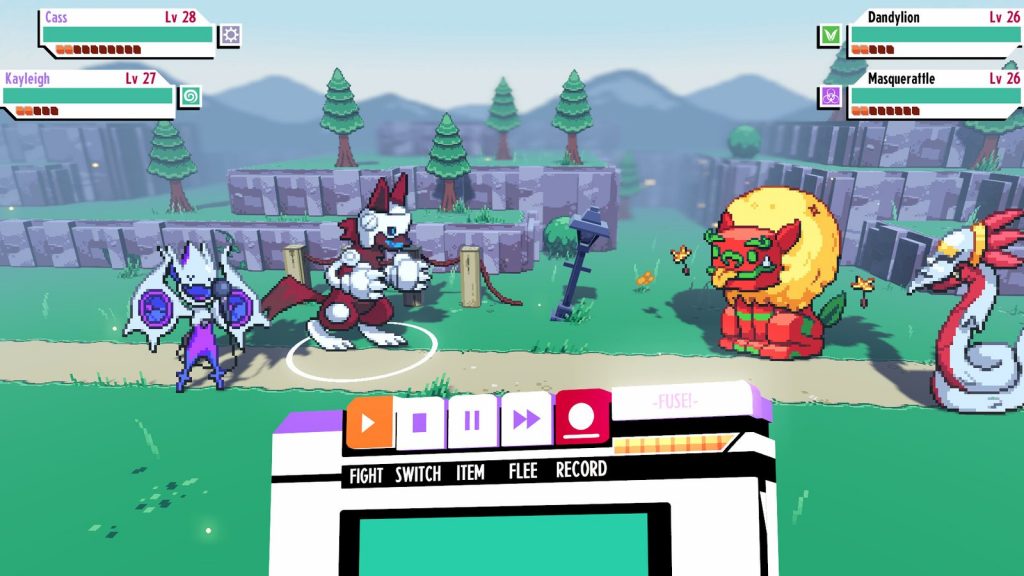
- Cassette Beasts (Bytten Studio), a monster-collecting RPG.
- Buckshot Roulette (Mike Klubnika), a small, tense 3D game that went viral.
- Slay the Spire 2 (Mega Crit), whose developer moved the sequel from Unity to Godot.
- Sonic Colors: Ultimate, a remaster that used a modified version of Godot.
Strengths, limits and common beginner mistakes
Strengths
- Free forever under the MIT license, with no royalties or revenue reporting.
- Lightweight, fast editor that works offline and on modest hardware.
- Excellent, purpose-built 2D tools.
- An approachable scripting language and clear official documentation.
Limits
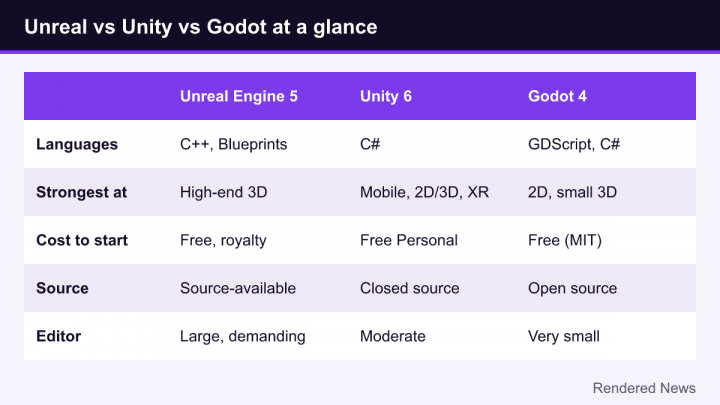
- High-end 3D features and tooling are less extensive than in Unreal.
- Smaller asset marketplace and fewer ready-made plugins than Unity or Unreal.
- Console publishing requires third-party help.
- Fewer job listings ask for Godot than for the two big commercial engines.
Mistakes newcomers make
- Following Godot 3 tutorials in Godot 4. Many node names and APIs changed (KinematicBody2D became CharacterBody2D, for example). Check a tutorial’s version before you follow it.
- Building giant scripts. Godot rewards small scenes with focused scripts. Split the player, the weapon and the health system into separate scenes and connect them with signals.
- Using long node paths everywhere. Hard-coded paths like “../../UI/HealthBar” break when you rearrange a scene. Prefer signals, exported variables or groups.
- Skipping static typing. Adding types to GDScript variables catches mistakes earlier and improves autocompletion.
Should you use Godot?
Godot is an outstanding first engine for 2D games, small 3D projects, game jams and anyone who wants full ownership of their tools. It is less suited to projects that need cutting-edge realism out of the box; for those, Unreal Engine 5 offers far more ready-made rendering technology. But for a large share of the games independent developers actually make, Godot provides everything needed, at a price of exactly zero, with nobody able to change the deal later.