Frame Generation Explained: How Games Create Frames That Were Never Rendered
How frame generation builds in-between frames from motion data, why it adds latency, why base frame rate matters, and how 2x differs from multi-frame.
Frame generation is one of the most misunderstood features in modern graphics menus. Switch it on and your frame counter can double or more, yet the game may not feel twice as responsive. That apparent contradiction is the key to understanding the technology: generated frames improve how smooth motion looks, but they are not created from your input the way rendered frames are. This guide explains how those frames are built, what they cost, and when they help.
Rendered frames vs generated frames
A normal frame goes through the entire game loop. The CPU reads your input, updates the simulation (physics, AI, animation), prepares draw calls, and the GPU renders the scene. Every one of those frames reflects the latest state of the game world.
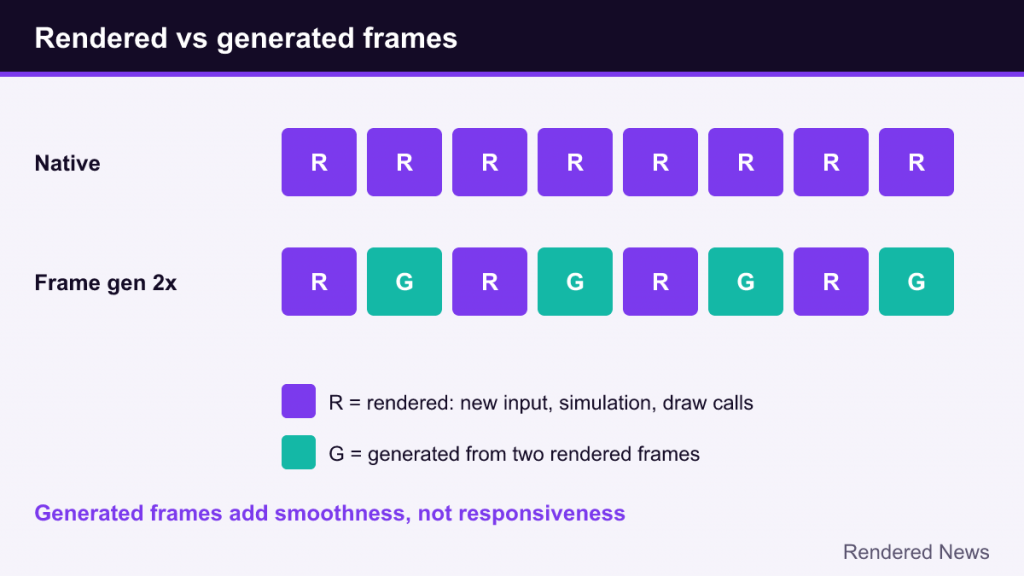
A generated frame skips almost all of that. It is synthesized by the GPU from two frames that were already rendered, estimating what the image would look like at a moment between them. No simulation update happens, no new input is read, and no geometry is drawn. That is why generation is cheap compared with rendering a full frame, and also why it cannot make the game react faster.
The core technique is frame interpolation: given frame A and frame B, create a believable frame halfway between them. TVs have done a crude version of this for years with “motion smoothing.” Game frame generation is far more sophisticated because the game can feed it extra information about the scene.
The ingredients: motion vectors and optical flow
To place every pixel correctly in the in-between frame, the generator needs to know how things are moving. Two sources of motion information are combined:
- Motion vectors from the engine. The game already produces per-pixel motion vectors for temporal anti-aliasing and upscaling. They describe how geometry moved between frames: characters, the camera, vehicles. They are precise for 3D objects but blind to anything not represented in geometry.
- Optical flow. This analyzes the two finished images and estimates how patterns of pixels moved, regardless of where they came from. It can track things motion vectors miss: shadows sliding across a floor, reflections moving on water, particle effects, and the sweep of light from a flashlight.
The generator also uses the depth buffer to work out which objects are in front of which. Then an algorithm, either hand-tuned or a trained neural network, blends the warped versions of both frames into the final in-between image and decides how to fill gaps.
Those gaps are the hardest part. When an object moves, it uncovers background that neither frame showed clearly from the in-between viewpoint. This is called disocclusion, and it is where most frame generation artifacts appear.
Why frame generation adds latency
Interpolation needs both endpoints. To generate the frame between A and B, the system must already have rendered B. So instead of displaying B as soon as it is ready, the pipeline holds it back, shows the generated frame first, and then shows B. That hold-back adds delay between your action and the moment it appears on screen.
The exact amount depends on the game and implementation, but the principle is unavoidable for interpolation: the newest rendered frame is always shown somewhat later than it would be without frame generation. Generation itself also takes some GPU time, which can slightly lower the base frame rate.
That is why every vendor pairs frame generation with a latency-reduction technology:
- NVIDIA Reflex with DLSS Frame Generation,
- AMD Anti-Lag with FSR Frame Generation,
- Xe Low Latency (XeLL) with XeSS Frame Generation.
These tools reduce the queue of frames waiting between the CPU and GPU, recovering some or most of the delay frame generation introduces. They do not make generated frames respond to input; they shrink latency elsewhere in the chain.
Why the base frame rate matters
The most important rule of thumb: frame generation works best when the game already runs reasonably well without it. There are two reasons.
First, responsiveness tracks the base rate, not the displayed rate. A game rendering 30 frames per second and generating up to 60 or more will look smoother but still feel like roughly 30 fps under your mouse or controller, plus the added hold-back delay. At a base rate in the range where the game already feels responsive, the extra latency is much less noticeable.
Second, image quality depends on the gap between frames. At a low base rate, objects move further between rendered frames, so the generator has to guess more. Artifacts become larger and stay on screen longer. At a higher base rate, each generated frame is a smaller, safer step and is visible for only a few milliseconds.
Vendors’ own guidance generally reflects this: frame generation is presented as a way to turn an already playable frame rate into a smoother one, particularly for high refresh rate displays, rather than as a rescue for a game that struggles to run.
2x vs multi frame generation
The first wave of frame generation, including DLSS 3 Frame Generation and FSR 3 Frame Generation, produced one generated frame per rendered frame, doubling the displayed rate at best. This is often called 2x.
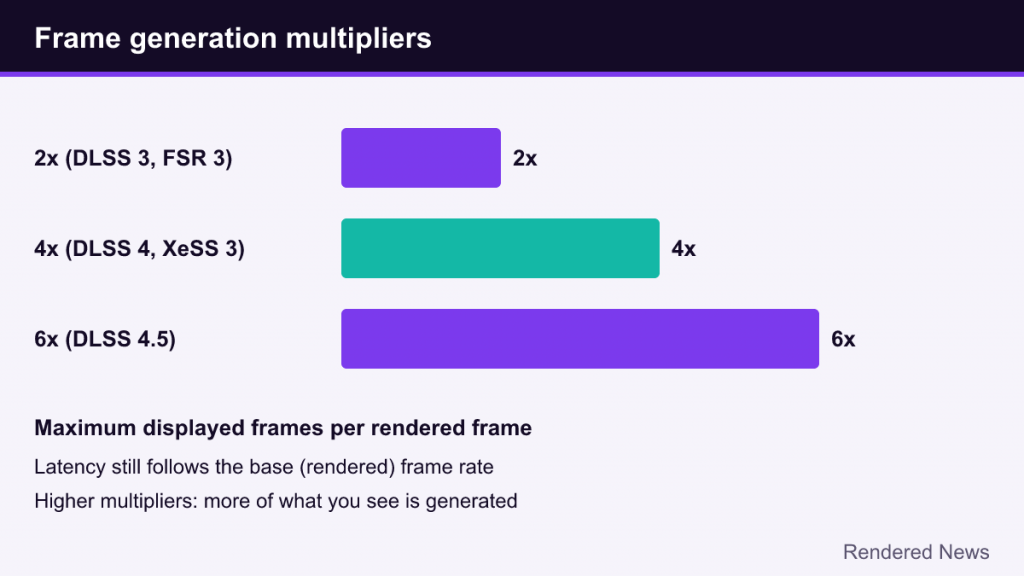
Multi frame generation produces several frames between each pair of rendered frames:
- NVIDIA introduced DLSS Multi Frame Generation with DLSS 4 in January 2025, generating up to three frames per rendered frame (4x) on RTX 50 Series GPUs. DLSS 4.5 extended this to a 6x maximum and added Dynamic Multi Frame Generation, which changes the multiplier automatically to match the display’s refresh rate.
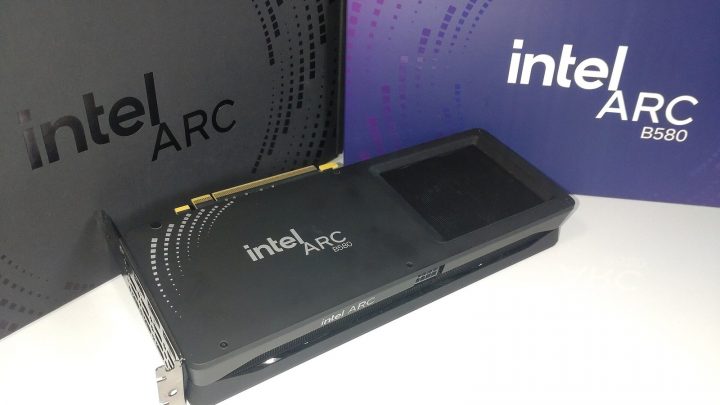
- Intel’s XeSS 3 added multi frame generation of up to 4x for Intel Arc graphics, usable in games that already support XeSS 2 frame generation.
Multi frame generation does not change the fundamentals. Latency still depends on the base rate, and each generated frame is still an estimate. What it changes is the ceiling: with a high refresh rate display, a solid base frame rate can be multiplied to fill that refresh rate. The higher the multiplier, the more of what you see is generated, which makes good motion estimation and frame pacing more important. Our DLSS explainer covers which RTX generations support which modes.
The main implementations
As of 2026 there are two broad categories: game-integrated frame generation and driver-level frame generation.
Game-integrated
- DLSS Frame Generation: introduced with DLSS 3 in 2022. The original version used a hardware optical flow accelerator; DLSS 4 replaced that step with an AI model.
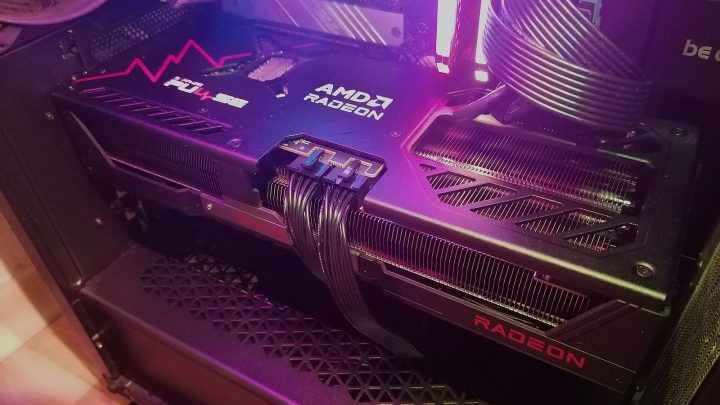
- FSR Frame Generation: introduced with FSR 3 in 2023, running in compute shaders and therefore usable on a wide range of GPUs. AMD’s FSR Redstone suite added an ML-based version for RDNA 4. See our FSR explainer for the full history.
- XeSS Frame Generation (XeSS-FG): part of Intel’s XeSS 2, paired with XeLL.
Integrated versions receive engine data such as motion vectors, depth and, crucially, the 3D scene separately from the user interface. That lets them generate frames from the world only and draw the HUD on top, cleanly.
Driver-level
- AMD Fluid Motion Frames (AFMF) and NVIDIA Smooth Motion apply frame generation from the graphics driver, so they can work in games that never integrated it.
The trade-off is information. Driver-level generation sees only finished frames, without engine motion vectors and with the HUD already baked in, so it relies on optical flow alone and has more trouble with UI elements and fast motion. Many driver-level implementations also pause generation during very fast camera movements to avoid obvious errors.
Common artifacts and where to look
Knowing what to look for makes it easier to decide whether frame generation suits a particular game:
- UI and text warping: crosshairs, subtitles, map markers and health bars that wobble or smear, especially with driver-level generation or poorly separated HUDs.
- Disocclusion halos: shimmering edges around characters moving across detailed backgrounds, most noticeable in third-person games where the character is always in front of the camera.
- Fast motion breakup: rapid camera flicks or fast-moving objects that look doubled or torn for a moment.
- Repeating patterns: fences, grilles and foliage can confuse optical flow because many similar shapes look alike.
- Transparency and particles: smoke, sparks and glass have no single clear motion, so they may ghost.
- Scene cuts: a hard camera cut can produce a strange blended frame unless the game signals the cut to the generator.
Many of these are visible only in slow-motion captures and go unnoticed at high frame rates, because each generated frame is on screen so briefly. That is another reason base frame rate matters.
Frame generation and frame caps
Frame generation interacts with frame rate limits and display synchronization in ways that can confuse players. If your displayed rate exceeds the display’s refresh rate, you either get tearing or a frame limiter kicks in. Implementations handle this differently; some cap the output automatically when V-Sync or a variable refresh rate display is in use, and dynamic multiplier modes exist specifically to avoid overshooting the refresh rate. Stacking an external frame limiter on top of frame generation can sometimes cause uneven pacing, so it is worth testing settings one at a time.
When to use it
As general guidance rather than a rule:
- Good fit: single-player games, slower-paced genres, and situations where you already have a playable base rate and a display that can show more frames than you can render.
- Less ideal: fast competitive games where every millisecond of input latency matters, and games where your base rate is already low.
- Combine thoughtfully: frame generation is often paired with upscaling. The upscaler raises the base rate; frame generation multiplies it. Raising the base rate first usually gives the best result.
Frame generation is best understood as a motion-smoothing tool with a cost, not as free performance. Used from a solid foundation, it can make high refresh rate displays genuinely worthwhile in demanding games. Used to paper over a struggling frame rate, it tends to expose its weaknesses.