Global Illumination Explained: Baked Lightmaps, Probes, SSGI and RTGI
Direct vs indirect light, and how games fake bounce lighting with lightmaps, probes, voxel GI, screen-space GI, ray-traced GI and systems like Lumen.
Stand in a room with one window and the parts of the room the sun never touches are still not black. Light hits the floor, bounces onto the walls, picks up a little color, bounces again, and fills the space. That bounced light is indirect illumination, and simulating it is called global illumination, or GI. It is a big part of what makes a rendered scene look real instead of like objects lit by a flashlight in a void. It is also one of the hardest things to do in real time, which is why games have invented so many different ways to approximate it.
Direct Light vs Indirect Light
Direct lighting is light that travels straight from a light source to a surface and then to the camera. Calculating it is relatively easy: for each point, check how much each light contributes and whether something blocks it, which is the job of shadows.
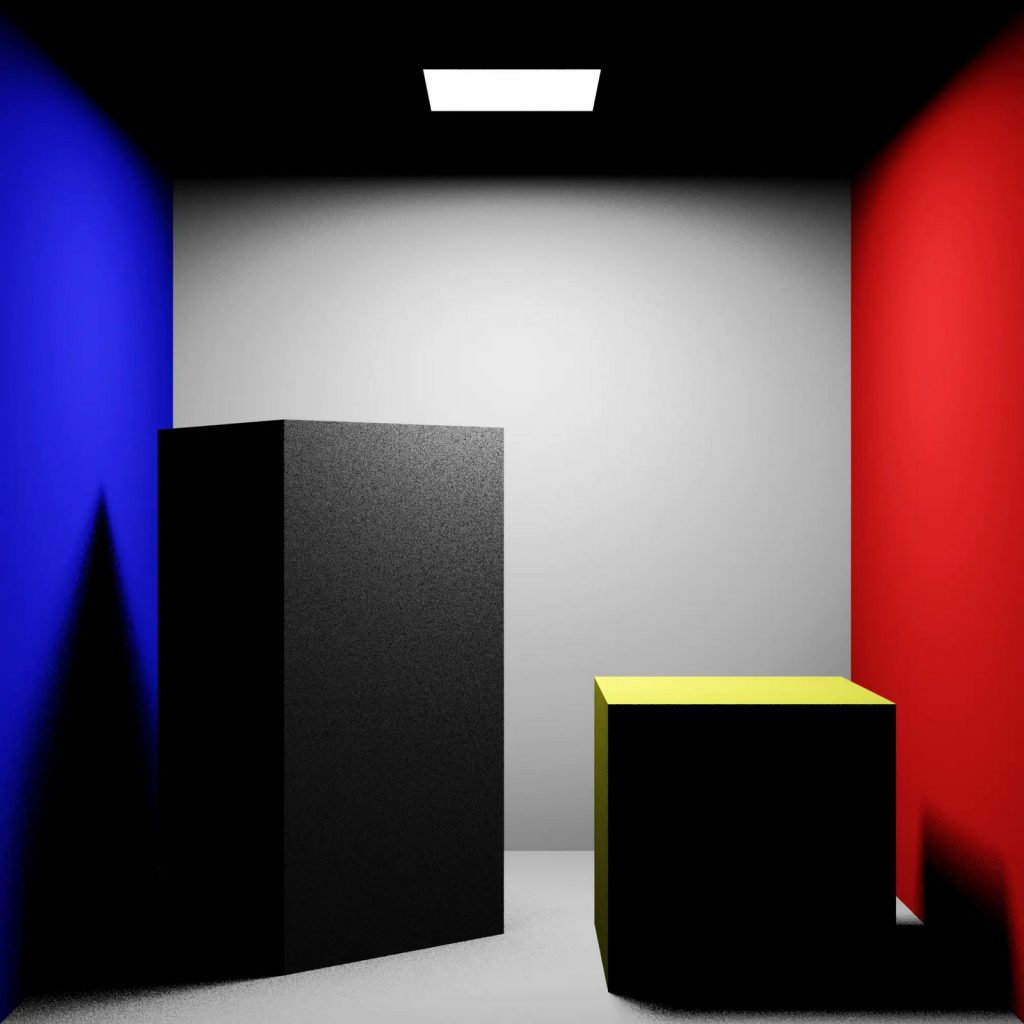
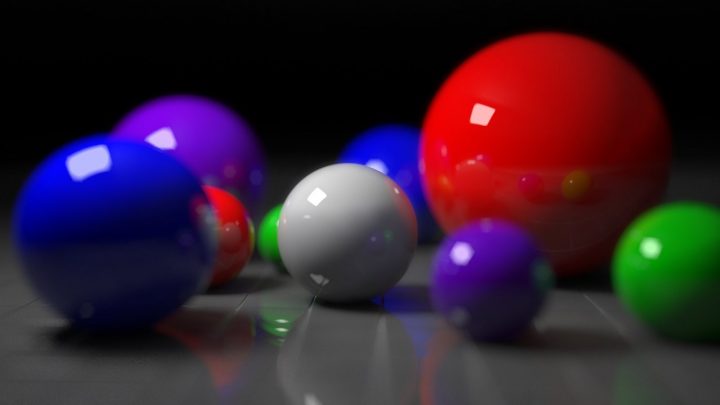
Indirect lighting is everything else: light that has bounced off one or more surfaces before reaching the point you see. It produces several effects that our eyes rely on:
- Fill light: shaded areas receive light reflected from lit areas, so they show detail instead of going black.
- Color bleeding: a red carpet tints the lower parts of nearby white walls with a red glow.
- Soft occlusion: corners and crevices receive less bounced light and get naturally darker.
- Light through openings: sunlight entering through a door lights up the interior well beyond the patch it falls on.
Godot’s documentation puts it simply: global illumination is a system of lighting that uses both direct light and indirect light. The challenge is that every surface can light every other surface, so the full calculation grows very quickly with scene complexity. Real-time GI is about cutting that problem down to something a GPU can do in a few milliseconds.
Before Real-Time GI: Ambient Light
The oldest shortcut is a constant ambient term: add the same small amount of light to everything, so shadows are never pitch black. It is extremely cheap and looks flat, because real indirect light varies across a scene. Ambient occlusion improves on that by darkening corners and contact areas, but it only estimates how hidden a point is, not where light actually comes from or what color it is. Our ambient occlusion explainer covers that layer in detail.
Baked Lightmaps
The classic solution for high-quality GI is to compute it offline and store it. A lightmap is a texture that stores precomputed lighting for static surfaces. During development, a baking tool simulates light bouncing around the level, often with ray tracing or path tracing, which can take minutes or hours. The results are saved into lightmap textures, and at runtime the game simply reads them.
Lightmaps have been used in games since the 1990s, with id Software’s Quake (1996) a well-known early example. They remain popular because their trade-offs are very attractive:
- Quality: because baking has no real-time limit, it can simulate many bounces accurately.
- Runtime cost: close to zero; it is just a texture lookup.
- Hardware reach: works on almost anything, which is why Godot’s docs recommend LightmapGI for mobile and low-end targets.
The catch is that everything baked is frozen. Lights that move or change, doors that open, a day-night cycle or destructible walls will not update the baked bounce lighting. Lightmaps also need a second set of non-overlapping UV coordinates for every mesh, add baking time to every lighting change, and use memory and disk space for the textures.
Light Probes: Baked Light for Moving Objects
Lightmaps only cover static surfaces. A character walking through a baked level needs indirect light too, or it looks pasted on. Light probes solve this. Unity’s documentation describes them as capturing the light passing through empty space in a scene, as opposed to lightmaps, which store light on surfaces. Probes are placed throughout a level and baked along with the lightmaps. At runtime, a moving object gets its indirect lighting by blending nearby probes.
Probes typically store lighting compactly, using spherical harmonics or similar encodings, which capture the general direction and color of incoming light but not sharp detail. They work well for soft, broad lighting but can cause problems when an object straddles a sharp lighting boundary, such as a doorway between a bright exterior and a dark interior.
Reflection probes are a related idea: captured cube maps that supply reflections. They are separate from lighting probes but often baked at the same time.
Real-Time Approaches
Voxel-based GI
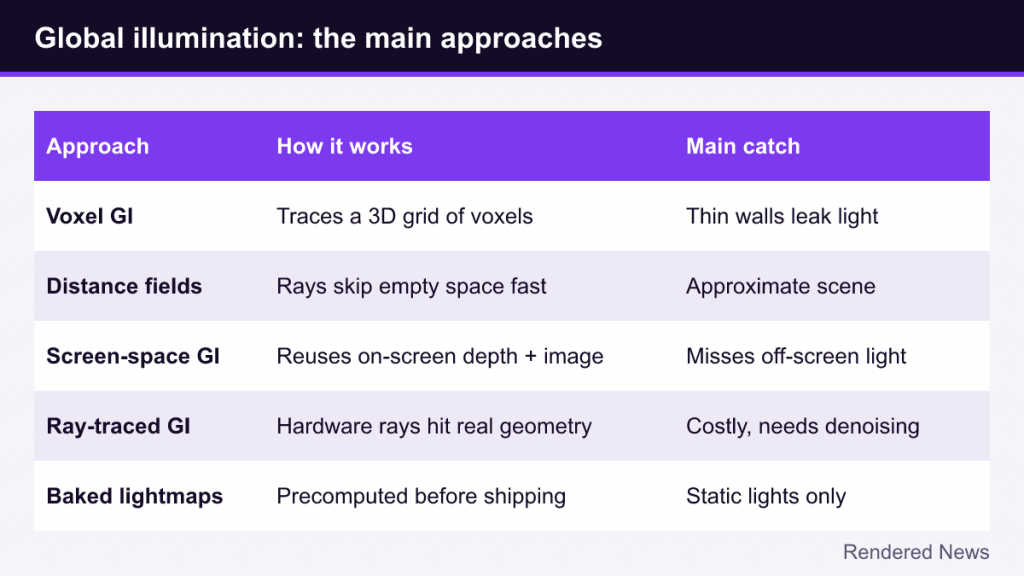
Voxel GI turns the scene into a 3D grid of volume cells, or voxels, storing approximate surface and light information in each cell. The renderer then traces cones or rays through that grid to gather bounced light. Because the voxel grid can be rebuilt as lights or objects change, the result can be dynamic. The voxel resolution limits detail, though, and walls thinner than a voxel can leak light. Godot’s VoxelGI is a current example, and its documentation notes exactly that light-leak limitation.
Signed distance field approaches
Distance fields store, for each point in a volume, the distance to the nearest surface. That lets rays skip quickly through empty space, which makes tracing cheaper without dedicated ray tracing hardware. Godot’s SDFGI and the software mode of Unreal’s Lumen both use distance fields as part of their scene representation.
Screen-space GI
Screen-space global illumination (SSGI) gathers bounced light from what is already on screen, using the depth buffer and the lit image from the current or previous frame. It is relatively cheap and adds nice local color bleeding and contact bounce. Like all screen-space effects, it cannot use what is off screen or hidden behind other objects, so its light can change or disappear as the camera moves. It works best as a complement to another GI system, which is how Godot’s docs describe its own screen-space indirect lighting (SSIL).
Ray-traced GI
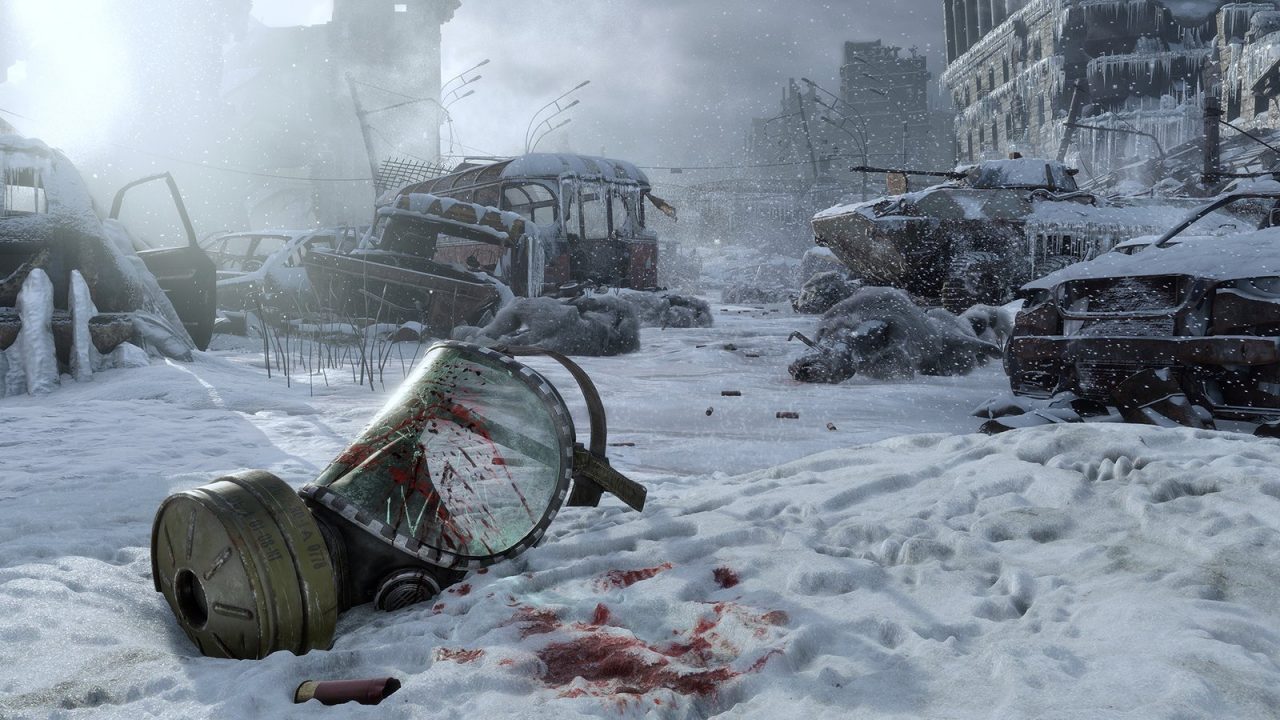
Ray-traced GI (RTGI) uses hardware ray tracing to trace rays from visible surfaces into the scene, find what they hit and gather light from there. Because it sees the actual scene geometry, including off-screen objects, it avoids the core screen-space failures. 4A Games’ Metro Exodus (2019) was an early high-profile game to use ray-traced GI. The cost is high, and with only a few rays per pixel affordable, RTGI depends on denoising, temporal accumulation and often caching to look clean. Full path tracing takes this further by simulating multiple bounces for all lighting; see our path tracing explainer.
Hybrid Systems: Lumen as an Example
Modern real-time GI rarely uses just one technique. Unreal Engine 5’s Lumen combines several. According to Epic’s documentation, it is a fully dynamic GI and reflections system and the default for new UE5 projects. It uses hardware ray tracing where the GPU, graphics API and operating system support it, and falls back to software tracing against mesh distance fields or a lower-detail global distance field otherwise. It also uses a surface cache that stores lighting on simplified representations of meshes so rays do not have to evaluate full materials at every hit. Our Lumen explainer covers it step by step.
Epic’s docs also list Lumen’s trade-offs: lighting changes across the whole scene can take a moment to fully propagate, small bright emissive areas can be noisy, and enabling Lumen disables precomputed static lighting. That is typical of real-time GI: fully dynamic results in exchange for some noise, lag and cost.
Static vs Dynamic GI: The Trade-Offs
| Technique | Dynamic? | Strengths | Weaknesses |
|---|---|---|---|
| Lightmaps | No | High quality, very cheap at runtime | Frozen lighting, bake times, UV and memory overhead |
| Light probes | No (baked) | Cheap lighting for moving objects | Low detail; issues at sharp lighting boundaries |
| Voxel GI | Yes | Dynamic lights and objects | Light leaks, limited detail, memory |
| SSGI | Yes | Cheap local bounce and color bleeding | Only sees the screen; view-dependent |
| Ray-traced GI | Yes | Accurate, sees off-screen geometry | Expensive; noise; needs denoising |
| Hybrid (e.g., Lumen) | Yes | Dynamic GI at scale, no baking | Cost, noise, slower lighting updates |
The choice depends on the game. A linear game with fixed lighting may get the best image for the least cost from baked lighting. A game with a day-night cycle, destructible environments or player-built structures needs dynamic GI. Many games mix both: baked lighting for the static world and probes or screen-space effects for moving objects.
GI in Graphics Settings
GI often appears in menus under names like “global illumination quality,” “indirect lighting,” or as an RTGI toggle. Lowering it usually reduces the number of rays or samples, the resolution of the GI calculation, or how often it updates. Typical visible effects are noisier or blotchier shading in dark areas, slower reaction to lighting changes and more light leaking. In games built around real-time GI, setting it very low can make interiors noticeably flat or too bright, because the art was designed around accurate bounce light. In games with baked lighting, there may be no GI setting at all, because the work is already done.
Global illumination is where real-time rendering has changed most visibly in recent years. The industry spent decades baking light because it had no choice; now, with ray tracing hardware, distance fields and smarter caching, more games can let light move as freely as everything else in the world.