Physically Based Rendering (PBR) Explained: Why Modern Materials Look Real
How physically based rendering works: microfacets, energy conservation, metallic/roughness vs specular/gloss, the texture maps involved and Disney's influence.
Look at games from the mid-2000s and many materials share a certain look: plastic-like highlights on skin, metal that looks like painted cardboard, surfaces that glow strangely when the lighting changes. Look at games from the last decade and materials tend to hold up under any lighting, from a sunny street to a dim interior. A large part of that change comes from one shift in approach: physically based rendering, usually shortened to PBR.
PBR is not a single algorithm or a specific engine feature. It is a set of principles for describing materials and computing how light interacts with them, based on how light actually behaves. This guide explains those principles, the two common material workflows, the texture maps artists use, and where newer layered material systems are heading.
What Was Wrong Before PBR
Earlier real-time shading models, such as the widely used Phong and Blinn-Phong models, were practical approximations. They produced a diffuse color plus a shiny highlight, controlled by parameters like “specular intensity” and “specular power.” Artists tuned those values by eye for a particular lighting setup.
The problem was that nothing tied those values to reality. A highlight could be made both bright and broad, reflecting more light than ever hit the surface. A material tuned to look right in one level could look wrong in another. Artists often painted lighting information, like highlights and shadows, directly into textures, which then clashed with dynamic lights. As engines added dynamic lighting, high dynamic range and more realistic global illumination, those inconsistencies became more obvious.
The Core Principles
The LearnOpenGL tutorial series summarizes the conditions for a physically based lighting model in three points: it should be based on the microfacet surface model, it should be energy conserving, and it should use a physically based BRDF. Each is worth unpacking.
Microfacets
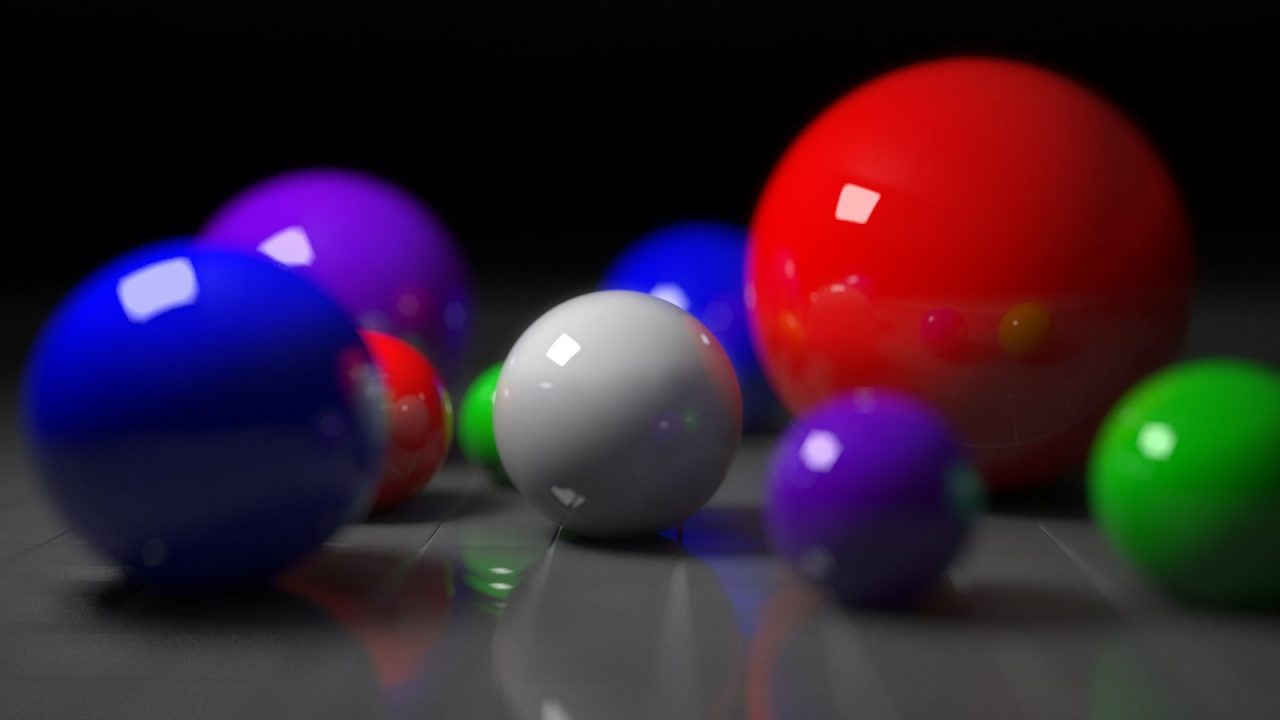
At a microscopic scale, every surface is made of tiny facets, each a perfect little mirror pointing in a slightly different direction. On a smooth surface, the facets mostly point the same way, so reflections are sharp and highlights are small and intense. On a rough surface, the facets point in many directions, scattering reflected light widely, so highlights are broad and dim and reflections are blurry. PBR models do not simulate individual facets; they describe their statistical distribution with a single roughness value.
Energy conservation
A surface cannot reflect more light than it receives (unless it emits light itself). LearnOpenGL states it plainly: outgoing light energy should never exceed incoming light energy. In practice, this means that as a highlight spreads out on a rougher surface, it also gets dimmer, because the same energy is spread over a larger area. It also means light that is reflected as specular is not available for diffuse reflection. This single rule removes a lot of the old “too shiny” look.
A physically based BRDF
A BRDF (bidirectional reflectance distribution function) describes how much light arriving from one direction is reflected toward another. The most common real-time choice for the specular part is the Cook-Torrance microfacet model, which LearnOpenGL breaks into three functions:
- D, the normal distribution function: how many microfacets are aligned to reflect light toward the viewer, driven by roughness.
- F, the Fresnel term: how reflectivity changes with viewing angle. Almost every surface becomes more reflective at grazing angles, which is why a lake mirrors the sky near the horizon but looks clear right below you.
- G, the geometry function: how microfacets shadow and mask each other, which matters most on rough surfaces.
Disney and Epic: How PBR Reached Games
Physically based shading had been studied for decades, but two presentations at SIGGRAPH physically based shading courses shaped how games adopted it. In 2012, Brent Burley of Walt Disney Animation Studios presented the material model Disney had developed, often called the Disney principled BRDF. Its key idea was artist-friendliness: rather than exposing raw physical quantities, it used a small number of intuitive parameters, mostly in a zero to one range, designed so that any combination would produce a plausible result.
In 2013, Brian Karis of Epic Games presented how Unreal Engine 4 adapted those ideas for real time, with simplifications that made the model cheap enough for games. LearnOpenGL describes the approach as originally explored by Disney and adopted for real-time display by Epic Games. Many engines and content tools converged on similar models in the following years, which is why the same material parameters now appear across engines, texturing tools and asset libraries.
Metallic/Roughness vs Specular/Gloss Workflows
PBR materials are usually authored in one of two workflows. Both describe the same physics; they just split the information differently.
Metallic/roughness
This is the workflow popularized by the Disney and Unreal approach and is the most common today. It uses:
- Base color: the color of the surface. For non-metals it is the diffuse color; for metals it is the color of the reflection.
- Metallic: whether the surface is metal (1) or not (0). Real materials are almost always one or the other, so this map is mostly black and white, with gray values reserved for transitions like dust on metal.
- Roughness: how rough the microsurface is, from mirror-smooth (0) to fully rough (1).
The shader handles the physics: non-metals get a fixed, low specular reflectance (a few percent for most common materials), while metals have no diffuse component and tint their reflections with the base color.
Specular/gloss
This workflow exposes the specular reflectance color directly in a separate map, alongside a diffuse (albedo) map and a glossiness map, which is simply the inverse of roughness. It gives artists more direct control, including unusual reflectance values, but also more ways to create physically impossible materials, such as a non-metal with colored, very bright reflections. It also uses more texture memory because specular is stored as color.
| Metallic/roughness | Specular/gloss | |
|---|---|---|
| Main maps | Base color, metallic, roughness | Diffuse, specular color, glossiness |
| Ease of use | Harder to make implausible materials | More control, easier to make mistakes |
| Memory | Metallic and roughness are single-channel | Specular is a color map |
| Typical use today | Most engines and asset stores | Some pipelines and older assets |
The Texture Maps in a PBR Material
A typical PBR material combines several textures, each feeding a different input:
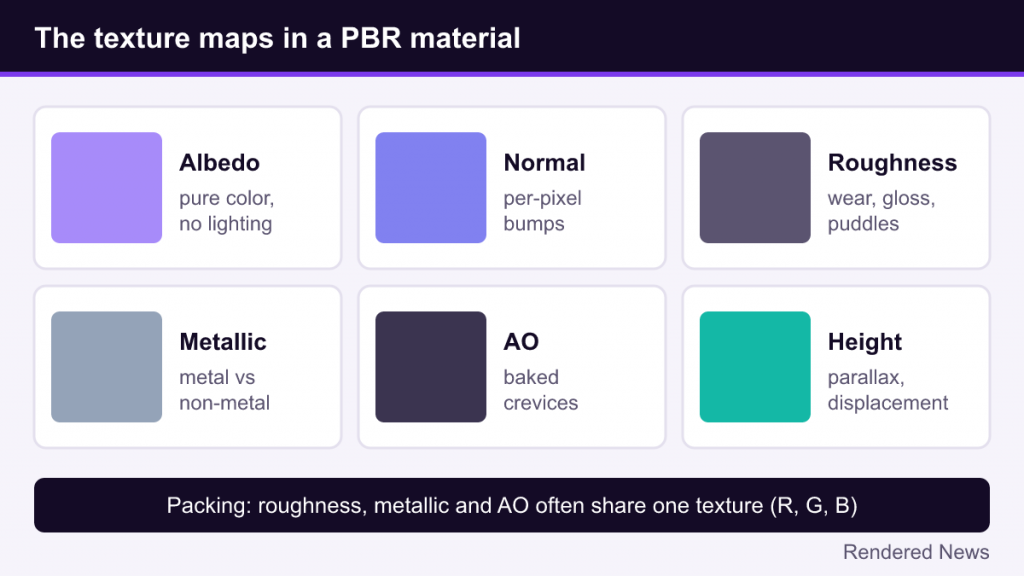
- Albedo / base color: the pure surface color with no lighting baked in. A common beginner mistake is leaving shadows or highlights painted into this map, which then fight with the real lighting.
- Normal map: stores small surface bumps and details as per-pixel normal directions, so a flat polygon can respond to light as if it had grooves, scratches or pores.
- Roughness (or gloss): often the most expressive map. Fingerprints, wear, puddles and polished edges are mostly roughness variation.
- Metallic: separates bare metal from paint, rust, dirt or plastic.
- Ambient occlusion: a baked map of small-scale crevices that dims ambient and indirect light in cavities. It complements screen-space or ray-traced AO, covered in our ambient occlusion guide.
- Height, emissive and others: height maps drive parallax or displacement; emissive maps mark surfaces that glow.
Engines often pack single-channel maps together, for example roughness, metallic and AO in the red, green and blue channels of one texture, to save memory and texture lookups. Those maps are then compressed with the block formats described in our texture quality guide.
Why PBR Materials Hold Up Under Any Lighting
The biggest practical benefit of PBR is consistency. Because a material describes the surface itself rather than how it should look under a particular light, it reacts correctly when lighting changes. The same rusty barrel looks right at noon, at sunset and under a flickering lamp. Artists can share assets across levels and projects, and asset libraries can sell materials that work in any PBR engine.
PBR also pairs naturally with modern lighting. Accurate materials only look as good as the light hitting them, and accurate light reveals bad materials. That is why physically based materials and real-time global illumination advanced together; our global illumination explainer covers the lighting side.
Limits of Standard PBR and Layered Materials
The standard metallic/roughness model describes a single opaque layer well. Many real materials are not that simple: car paint has a clear coat over flakes over a base coat, skin scatters light beneath its surface, cloth has sheen at grazing angles, and wet surfaces are a thin layer of water over another material. Engines handled these with special shading models, each a separate path in the renderer, which made combining them difficult.
Unreal Engine’s Substrate is a newer answer. Epic’s documentation describes it as a material framework that replaces the fixed suite of shading models, such as Default Lit and Clear Coat, with a modular system built from “slabs” of matter. Each slab has an interface (the surface, described by properties such as roughness, normal and reflectance) and a medium beneath it. Slabs can be stacked vertically, for example varnish over wood, or blended horizontally, for example rust patches on metal. According to the UE 5.8 documentation, Substrate is enabled by default for newly created projects, while projects upgraded to 5.7 or later keep the older material path unless they opt in. Epic’s docs still note limitations, including incomplete platform support and some sub-features marked experimental.
Common PBR Mistakes
- Baked lighting in albedo: painted shadows and highlights look wrong when real lights move.
- Albedo values that are too dark or too bright: real non-metal surfaces rarely sit at pure black or pure white; extreme values break energy balance.
- Gray metallic values everywhere: partial metalness should be rare and usually only appears in transition areas.
- Flat roughness maps: a single roughness value across a whole surface looks artificial. Variation sells realism.
- Mixing workflows: using specular/gloss textures in a metallic/roughness shader without conversion produces strange results.
PBR’s real achievement is a shared language. Artists, engines, texturing tools and asset stores now describe surfaces in roughly the same physical terms, which is a major reason modern games look consistently convincing across wildly different scenes.