Level of Detail and Draw Distance Explained: Why Objects Pop In
How LOD meshes, LOD bias, impostors, culling and draw distance work, why objects pop in, and how Nanite-style continuous LOD changes the picture.
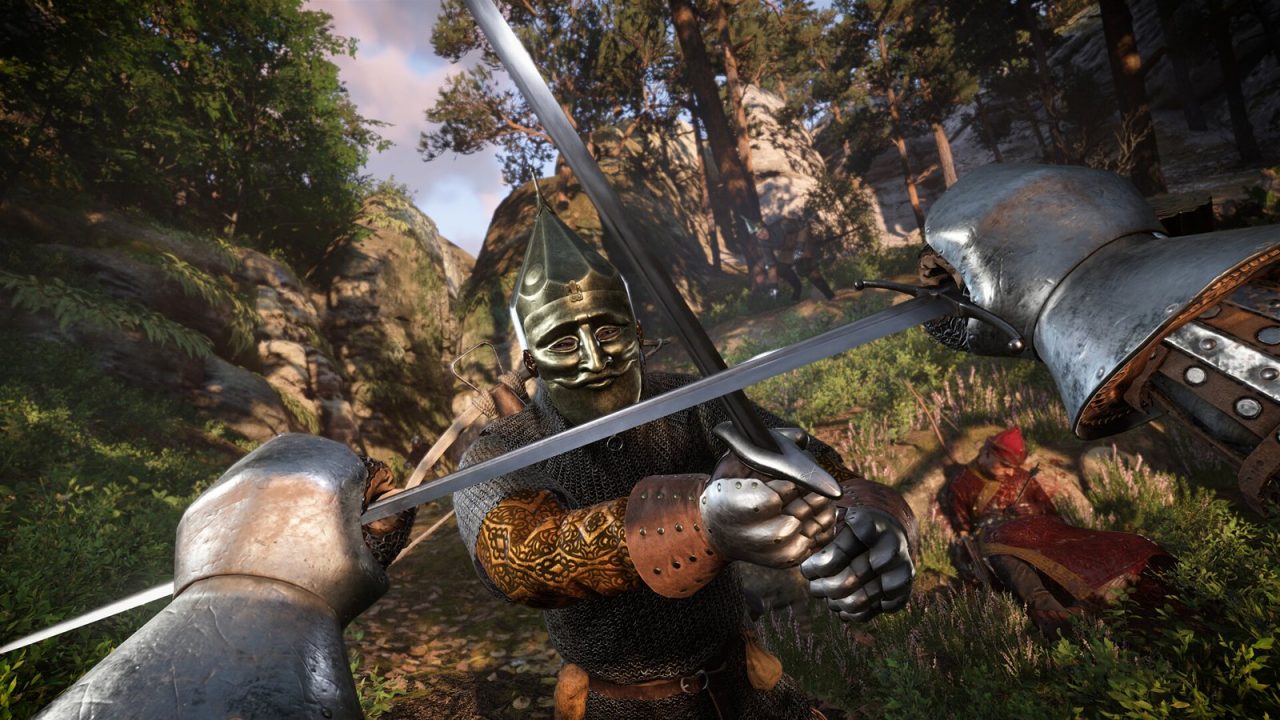
You are riding across an open landscape and a rock formation suddenly gains detail, a bush appears out of nowhere, or a distant building’s shape snaps into something more complex. That is pop-in, and it is the visible side effect of systems that every 3D game relies on to stay fast: level of detail and draw distance. This article explains how those systems work, what the related settings in your graphics menu control, and why newer approaches like Nanite reduce the problem.
The Problem LOD Solves
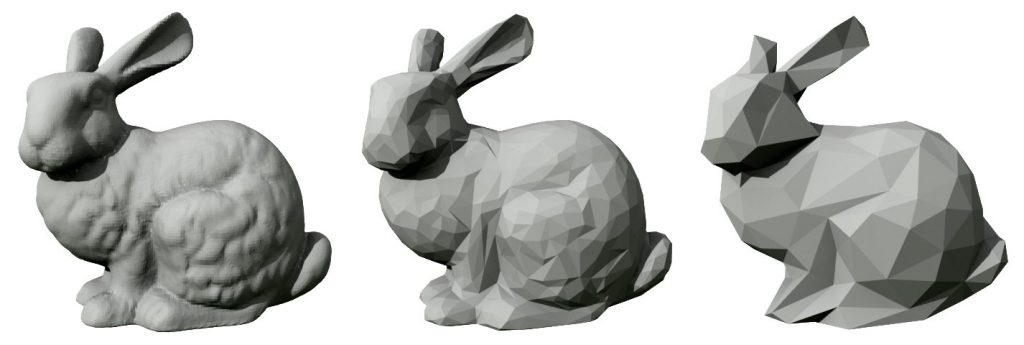
A detailed character or prop might be built from tens or hundreds of thousands of triangles. That detail is worth it up close. But when the same object is far away and covers a few dozen pixels on screen, almost all of those triangles are smaller than a pixel. The GPU still has to process every one, and small triangles are especially inefficient for traditional rasterization hardware, which works on pixels in small groups. Rendering full detail everywhere would waste a huge amount of work on detail nobody can see.
The idea of swapping in simpler models for distant objects is old. James Clark’s 1976 paper “Hierarchical Geometric Models for Visible Surface Algorithms” laid out the concept of describing objects at multiple levels of detail and choosing among them based on how large they appear. Real-time games have used variations of it ever since.
Discrete LOD Meshes
The most common implementation is a set of discrete LOD meshes per object. Artists or automated tools create several versions:
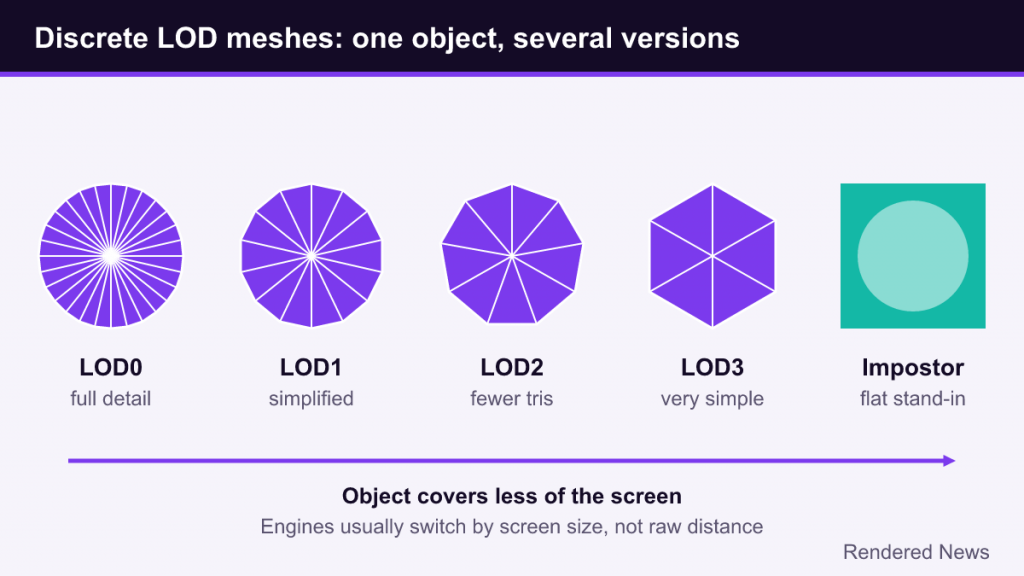
- LOD0: the full-detail model, used up close.
- LOD1, LOD2, LOD3: progressively simplified versions with fewer triangles, sometimes also using simpler materials.
- Final LOD or impostor: an extremely simple stand-in for very distant views.
The engine picks which LOD to draw each frame. Modern engines usually base the choice on screen size, how much of the screen the object covers, rather than raw distance, because a large building at 200 meters can still fill much of the view while a small cup at 20 meters barely registers. Unity’s LOD Group component, for example, sets its thresholds as a percentage of screen height, and Unreal Engine uses a similar screen-size value for each LOD.
How the LODs are made matters. Some studios have artists hand-build each level, which gives the best control over silhouettes but takes time for every asset. Many rely on automatic mesh simplification, which collapses edges and merges vertices until a target triangle count is reached, and is built into major engines and content tools. Automatic reduction is fast but can mangle thin parts, such as fingers, railings or leaves, which is one reason some objects degrade more visibly than others at a distance. Materials can be simplified too: distant LODs may drop detail maps or expensive shader features.
Each switch between LOD meshes is a sudden change in geometry. If the simplified model differs noticeably from the previous one, you see it change shape. That is LOD pop-in in its purest form.
Hiding the Switch: Cross-Fading and Dithering
Engines use several tricks to make transitions less noticeable:
- Cross-fading: for a short time, both LODs are drawn and blended, typically with a dithered pattern that gradually swaps pixels from one to the other. Unity’s LOD Group offers a Cross Fade mode and exposes a blend factor to shaders for exactly this purpose.
- Careful simplification: keeping silhouettes and major shapes intact across LODs, so the swap changes only small details.
- Switching at small screen sizes: pushing transitions far enough away that the change covers only a few pixels.
Dithered transitions are why you sometimes see objects shimmer or appear briefly speckled at a certain distance. Temporal anti-aliasing usually smooths that pattern into a soft fade.
Impostors, Billboards and HLOD
Impostors and billboards
For extremely distant objects, even a simplified mesh can be overkill. An impostor replaces a 3D object with a flat image of it, rendered ahead of time from one or more angles. A billboard is the simplest form: a flat card that always faces the camera. Trees in large forests are the classic case, since thousands of distant trees drawn as cards are far cheaper than thousands of meshes. Better impostors store views from many angles and pick the closest one, so they hold up when you circle around.
The transition from a 3D tree to its impostor is a frequent source of pop-in in open-world games, because flat cards can look different in lighting and parallax from the real mesh.
Hierarchical LOD
Swapping individual objects is not enough for huge worlds, because the number of separate objects itself becomes a cost. Each one needs its own draw call and processing on the CPU. Hierarchical LOD, or HLOD, merges whole groups of distant objects into single simplified meshes. In Unreal Engine’s World Partition system, HLOD proxies stand in for unloaded parts of the world, letting distant areas remain visible while cutting draw calls. Epic’s documentation describes layer types that instance foliage-like objects, merge meshes, or merge and simplify them.
HLOD explains a specific kind of pop-in: an entire distant village or skyline that suddenly changes when you get close enough for the real, individually streamed objects to load.
Culling: Not Drawing What You Cannot See
LOD reduces the cost of what is drawn. Culling avoids drawing things at all. The main types are:
- Frustum culling: skip objects outside the camera’s field of view.
- Occlusion culling: skip objects hidden behind other objects, such as everything inside a building you are standing outside.
- Distance culling: skip objects beyond a set distance, often different per object type. Small props and grass vanish first, while terrain and large landmarks remain.
- Small-object culling: skip objects whose screen size drops below a threshold.
Distance and size culling are where draw distance settings usually act. When an object crosses the culling threshold, it simply appears or disappears, which is the harshest form of pop-in. Occlusion culling can also cause brief pop-in if the system lags a frame behind fast camera movement, revealing objects a moment late.
What the Settings Change
| Setting | What it usually controls | Effect when raised |
|---|---|---|
| Draw distance / view distance | Culling distances and LOD transition distances | More objects visible farther away; less pop-in; more CPU and GPU work |
| LOD bias / object detail | Multiplier on LOD switching thresholds | Higher LODs kept longer; transitions pushed farther away |
| Foliage / vegetation density | How many grass and plant instances are spawned | Fuller vegetation; often a large performance cost |
| Foliage distance | How far grass and small plants are drawn | Less grass “carpet” popping in near the player |
| Terrain detail | Landscape mesh resolution and LOD distances | Smoother, more accurate distant terrain |
LOD bias works like a multiplier. Unity’s documentation describes values below 1 as favoring less detail and values above 1 as favoring more, which effectively moves each transition closer to or farther from the camera. Many games expose this as an “object detail” or “mesh quality” slider rather than the raw term.
Draw distance settings often affect the CPU as much as the GPU. More visible objects mean more culling checks, more draw calls and more streaming. In dense open worlds, a high draw distance can make a game CPU-limited even when the GPU has spare capacity. Shadows add another layer, since distant objects may also need to be drawn into shadow maps; our shadow settings guide covers shadow distance separately.
Why Pop-In Happens Anyway
Pop-in is not always a deliberate LOD switch. Other common causes include:
- Streaming delays: the higher-detail mesh or texture is not loaded yet, so the low-detail version stays visible longer than intended. Texture pop-in is its own topic, covered in our texture quality guide.
- Memory budgets: when memory runs tight, engines may hold objects at lower LODs to stay within budget.
- Platform-tuned distances: distances tuned for weaker hardware sometimes carry over to PC presets.
- Fast movement: vehicles, flying or fast travel can outrun streaming and transitions.
Continuous LOD and Nanite
Discrete LOD has a basic limit: the object can only be in one of a few states, so somewhere a visible switch must happen. Unreal Engine 5’s Nanite approaches the problem differently. It breaks meshes into small clusters of triangles organized in a hierarchy and selects detail per cluster, aiming to keep triangles at roughly pixel size across the whole object. Parts of a mesh closer to the camera get more detail than parts farther away, and transitions happen in tiny steps instead of whole-mesh swaps. For the details, see our Nanite explainer.
That greatly reduces classic LOD pop-in and removes much of the manual work of authoring LOD chains. It does not eliminate every kind of pop-in: culling distances for small objects, foliage density, streaming and HLOD transitions in huge worlds still exist. Not every engine or game uses a Nanite-style system, so discrete LODs remain the norm across the industry.
Tuning Tips
- Prioritize what bothers you. Grass popping in near the player is often fixed by foliage distance, not general draw distance.
- Watch the CPU. If raising draw distance lowers frame rate even at lower resolutions, the cost is probably on the CPU side.
- Use LOD bias sparingly. Raising it beyond the game’s highest preset can cost a lot for small visual gains.
- Test while moving. Pop-in is a motion problem. Judge settings on horseback, in a car or while sprinting, not standing still.
LOD and draw distance are fundamentally budget tools. They decide where a game spends its limited geometry and CPU time. Pop-in is what you see when those decisions become visible, and the history of LOD, from Clark’s hierarchies to HLOD to Nanite, is the history of making those decisions invisible.