Ambient Occlusion Explained: SSAO, HBAO+, GTAO and Ray-Traced AO
What ambient occlusion simulates, how screen-space AO works and why it halos, and how HBAO+, GTAO and ray-traced AO improve on the original SSAO.
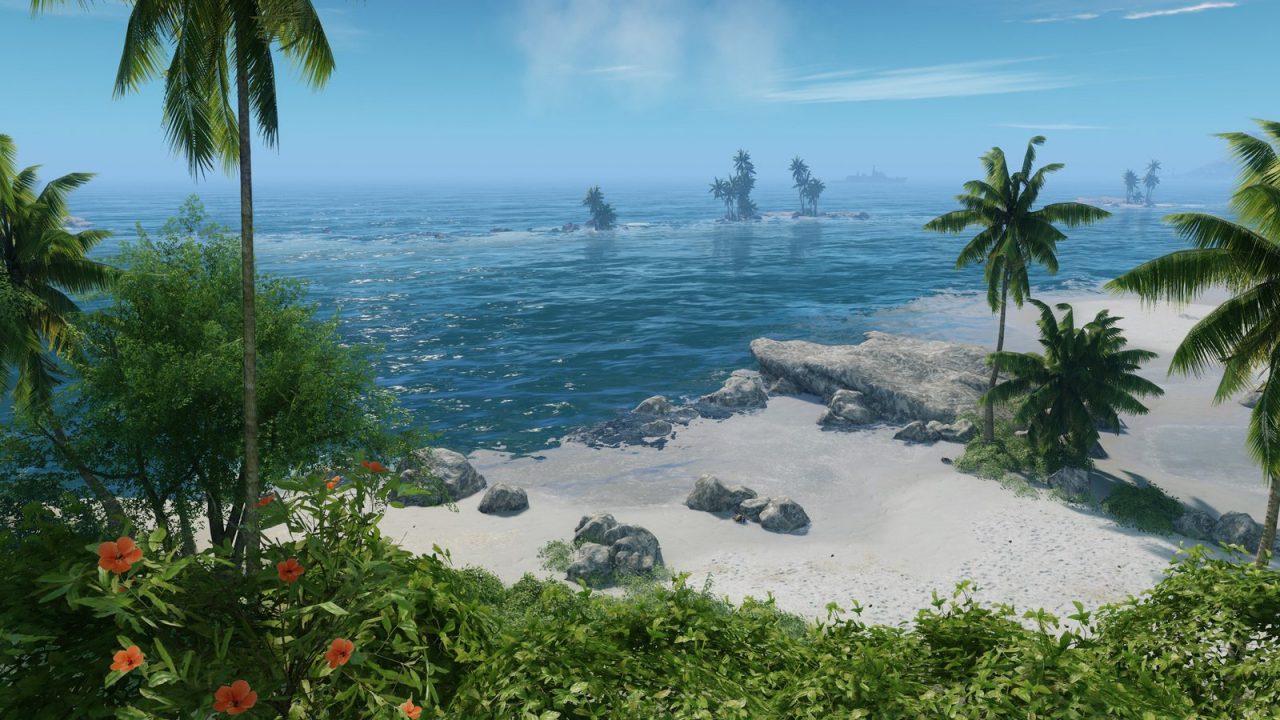
Ambient occlusion is one of the least flashy settings in a graphics menu and one of the most important. Turn it off and scenes often look subtly wrong: objects seem to float above the floor, furniture looks pasted into rooms, and corners lose their depth. Turn it on and those contact areas darken naturally. This guide explains what AO is approximating, how the common screen-space methods work, why they produce their characteristic artifacts, and what the different options in a settings menu are actually choosing between.
What Ambient Occlusion Simulates
In the real world, light arrives from many directions at once: from the sky, from walls, from the floor. A point out in the open receives light from a wide hemisphere above it. A point deep in a crease, a corner, or under a table receives less, because nearby geometry blocks much of that surrounding light. That blocking is occlusion, and the light being blocked is the soft, directionless ambient light that fills a scene.
Ambient occlusion estimates, for each visible point, how much of its surrounding hemisphere is blocked by nearby surfaces. The result is a value between fully open and fully enclosed, which the renderer uses to darken ambient and indirect lighting. Crevices, contact points and tight gaps get darker; open surfaces stay bright.
AO is an approximation of a small part of global illumination, the full simulation of light bouncing around a scene. It does not track where light comes from or what color it picks up. It only asks “how hidden is this point?” That simplification is why it is cheap enough to run every frame, and also why it can look wrong when pushed too hard. In a menu you will usually find it next to other lighting options; our graphics settings overview shows where it fits.
Baked AO and Why Games Needed a Real-Time Version
AO has been used in offline rendering and film for a long time, and games have long baked it into textures and lightmaps. An artist computes AO for a static model or level once, at high quality, and stores it in a texture. Baked AO looks great and costs almost nothing at runtime.
Baking has a fundamental limit: it only knows about geometry that existed when it was baked. A character walking next to a wall, a crate pushed across a floor, or a destructible building cannot receive or cast baked AO correctly against everything around them. Games needed a method that worked on whatever was on screen right now. That need produced screen-space ambient occlusion.
SSAO: The Original Screen-Space Approach
Screen-space ambient occlusion was developed at Crytek by Vladimir Kajalin and first shipped in Crysis in 2007; Crytek’s Martin Mittring discussed it in a SIGGRAPH 2007 course talk on CryEngine 2. The key idea was to use data the renderer already had: the depth buffer, which stores how far each pixel is from the camera.
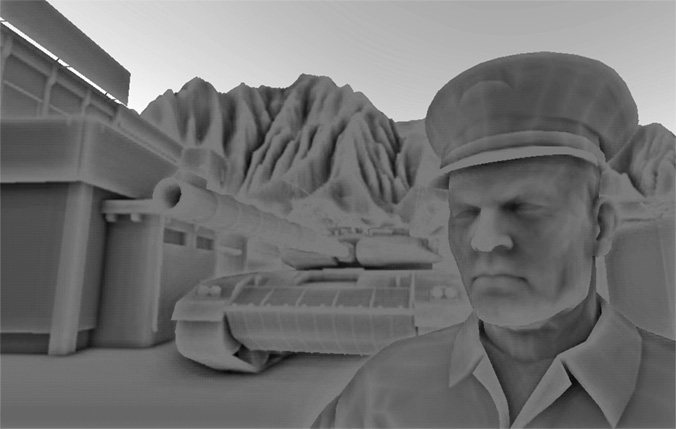
In simple terms, SSAO works like this:
- For each pixel, take a handful of sample points around it in 3D space.
- Project each sample back onto the screen and compare its depth with what the depth buffer says is actually there.
- If the depth buffer shows a surface in front of the sample, count that sample as occluded.
- The fraction of occluded samples becomes the AO value. A blur pass then smooths out the noise from using only a few samples.
Because it only needs the depth buffer (and later, normals), SSAO works on any scene, static or dynamic, with a predictable cost tied to screen resolution rather than scene complexity. It spread quickly through the industry.
Why Screen-Space AO Has Artifacts
All screen-space techniques share one limitation: they can only see what is on screen, and only the front-most surface at each pixel. The depth buffer is effectively a height map of the visible scene. Anything behind that surface, off screen or hidden by something else, does not exist as far as the algorithm is concerned. That causes several familiar artifacts:
- Halos: dark outlines around objects standing in front of distant backgrounds, like a character silhouetted against the sky. The algorithm sees a big depth difference at the edge and treats it as occlusion, even though the background is far away. Many implementations add range checks to reduce this, with varying success.
- View dependence: AO can change as the camera moves, because geometry that comes into or goes out of view changes what the depth buffer contains. Shading under a ledge may fade when the ledge leaves the screen edge.
- Missing thickness: the depth buffer does not know how thick an object is. A thin pole and a solid wall look the same from the front, so occlusion behind thin objects can be overestimated.
- Noise and shimmer: using few samples per pixel creates noise that must be blurred or temporally filtered. Too little filtering looks grainy; too much loses detail or ghosts in motion.
- Over-darkening: early implementations often produced a gray, dirty look on flat surfaces, which is one reason some players disable AO entirely.
HBAO and HBAO+: Searching for the Horizon
NVIDIA’s horizon-based ambient occlusion, described by Louis Bavoil and Miguel Sainz in 2008, changed how the depth buffer is sampled. Instead of scattering random 3D points, HBAO marches outward from each pixel in several directions across the screen. Along each direction it tracks the highest “horizon” angle formed by the surrounding surfaces. The higher the horizon, the more that direction is blocked. Integrating across directions gives an occlusion value that is more physically motivated than counting random samples.
HBAO+ is NVIDIA’s later, optimized version, distributed as part of its developer libraries and used in many PC games in the 2010s. It aimed to deliver horizon-based quality at lower cost, with better handling of detail at different distances. In practice, games offering HBAO+ alongside plain SSAO usually present it as the higher-quality option, with crisper contact shadows and fewer muddy gray areas. It still runs in screen space, so halos and view dependence can still appear, only typically less so.
GTAO: Matching a Ground Truth
Ground Truth Ambient Occlusion came from Activision. Jorge Jimenez, Xian-Chun Wu, Angelo Pesce and Adrian Jarabo presented “Practical Realtime Strategies for Accurate Indirect Occlusion” at SIGGRAPH 2016. Their goal was right there in the name: produce AO that matches a ground-truth reference computed the expensive way, within a strict budget. The paper reports matching that reference in about half a millisecond on console hardware of the time.
GTAO builds on the horizon-based idea but uses a reformulation of the AO equation and spreads the work over space and time, computing a few samples per pixel per frame and filtering them spatially and temporally. The paper also adds two useful extras:
- Multi-bounce approximation: basic AO darkens too much because it ignores light bouncing between nearby surfaces. GTAO includes a cheap correction for that, especially noticeable on bright surfaces.
- Specular occlusion: it also estimates how reflections should be dimmed in occluded areas, which helps shiny materials avoid glowing unrealistically inside crevices.
The paper notes that these techniques were integrated into AAA console titles, and GTAO-style AO has become common across engines. Intel also published XeGTAO, an open-source MIT-licensed implementation, which its GitHub page notes is no longer maintained.
Ray-Traced Ambient Occlusion
Ray-traced AO, or RTAO, abandons the screen-space shortcut. For each pixel it casts short rays into the surrounding hemisphere against the actual scene geometry, using the same acceleration structures as other ray-traced effects. If a ray hits something within a set distance, that direction counts as occluded. Our ray tracing explainer covers how those rays and structures work.
Because RTAO sees real geometry, it fixes the core screen-space problems. Objects behind the camera or off screen still occlude correctly, thin objects are handled properly, and there are no halos from depth discontinuities. The trade-off is cost and noise. Each pixel can only afford a few rays, so the raw result is grainy and needs denoising, much like other ray-traced effects.
In games that use ray-traced global illumination or path tracing, separate AO often becomes less important or disappears, because the full lighting simulation already accounts for occlusion naturally. Our path tracing article explains why.
Choosing an AO Setting
| Method | Sees off-screen geometry? | Typical trade-off |
|---|---|---|
| Off | No AO | Flat, “floating” look; cheapest |
| SSAO | No | Cheap and broad; can halo and look dirty |
| HBAO / HBAO+ | No | Sharper contact shading; still screen-space limits |
| GTAO | No | Closer to reference AO; relies on temporal filtering |
| RTAO | Yes | Most accurate; heavier and needs denoising |
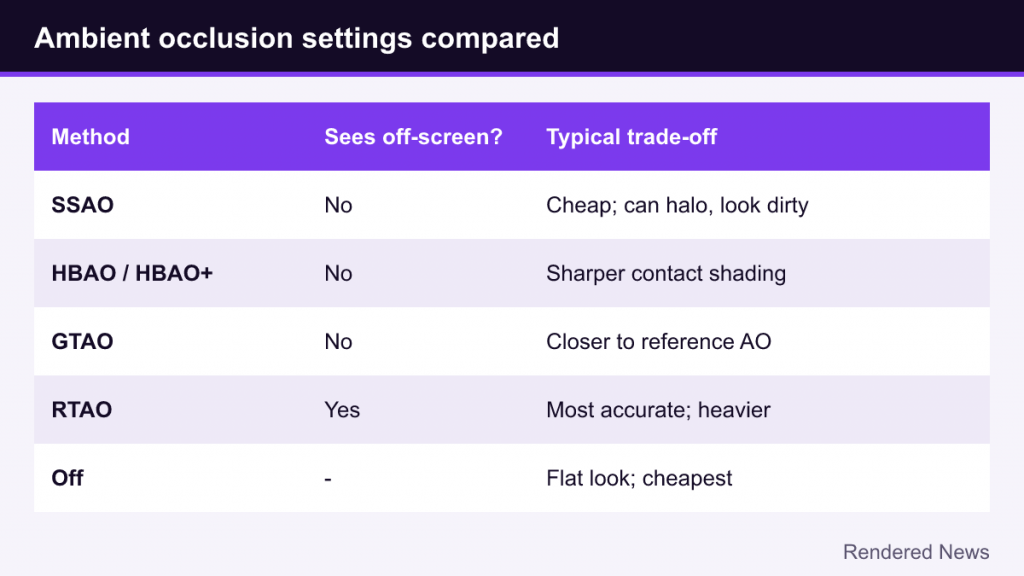
A few practical points help when picking one:
- Look at contact areas, not open surfaces. AO matters most where objects meet: feet on the ground, items on shelves, foliage at its base.
- Watch for halos around characters. If you see dark outlines against distant scenery, a higher-quality method or the game’s alternate AO option may help.
- Quality levels usually mean samples and resolution. Lower presets often compute AO at reduced resolution and with fewer samples, then upscale and blur, which makes it softer and more prone to shimmer.
- Turning AO off is rarely the best trade. Its cost in modern games is usually modest relative to its visual contribution, though this varies by game and method.
Ambient occlusion is an approximation that games keep refining, and the progression from SSAO to GTAO to ray-traced AO is a good miniature of real-time graphics overall: start with a clever screen-space trick, steadily make it more physically grounded, and eventually replace it with something that sees the whole scene.