Shader Compilation Stutter Explained: Why PC Games Hitch and How Developers Fix It
Why DX12 and Vulkan games hitch the first time an effect appears, what pipeline state objects are, and how precompilation, caches and PSO precaching help.
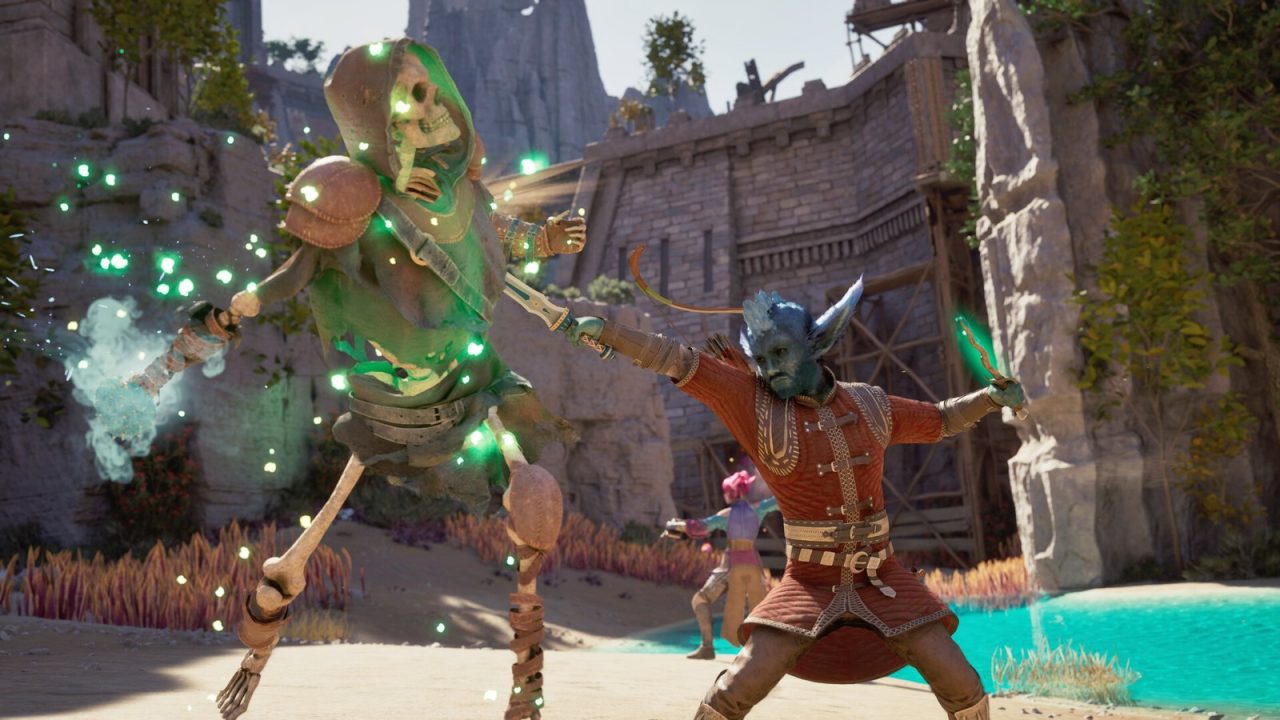
You walk into a new room, an explosion goes off, and the game freezes for a split second. Walk back and trigger the same thing again, and it runs perfectly smoothly. That pattern, a hitch that happens only the first time, is the signature of shader compilation stutter. It has become one of the most discussed problems in PC gaming over the last several years, and it has a fairly specific technical cause.
This article explains what shaders and pipeline state objects are, why modern PC games often compile them while you play, how that differs from traversal stutter, and what developers, engine makers and platform holders do about it.
Shaders: Small Programs With a Big Compile Step
A shader is a small program that runs on the GPU. Vertex shaders position geometry, pixel shaders decide the color of each pixel, and compute shaders handle general-purpose work like particle simulation or post-processing. Every material, lighting model and effect in a modern game is built from shaders, and a large game can contain an enormous number of variants, because each combination of features (skinned or static mesh, with or without a certain effect, different quality settings) produces its own version. For the bigger picture of where shaders sit in the pipeline, see our rasterization pipeline walkthrough.
Shaders are written in a high-level language such as HLSL. Developers compile that source into an intermediate format, such as DXIL for DirectX 12 or SPIR-V for Vulkan, ahead of time. But the intermediate format is not what the GPU actually runs. The graphics driver has to translate it into machine code for the specific GPU architecture in your system. That final translation is the step that causes trouble, because it can only be done once the game knows what hardware and driver it is running on.
Microsoft’s DirectX team summed up the dilemma in 2025: shaders have to be compiled into a format that depends on the specific game, GPU and driver, so it has not traditionally been practical to compile them in advance. Compilation therefore happens either at launch, where it looks like a loading screen, or just in time, where it looks like stutter. And the resulting caches are invalidated whenever the driver updates.
Why DirectX 12 and Vulkan Made It Visible
Older APIs such as DirectX 11 and OpenGL hid much of this work inside the driver. The driver could compile and combine shader state behind the scenes and use its own tricks to avoid hitches, at the cost of less control for developers and more CPU overhead in general.
DirectX 12 and Vulkan are explicit APIs. They ask developers to describe GPU work up front, and a central concept is the pipeline state object (PSO). A PSO bundles the shaders for each stage together with fixed-function state such as blending, depth testing, vertex layout and render target formats into one object. Creating a PSO is when the driver does its expensive final compile and optimization, because it now sees everything needed to produce the best machine code for that exact combination.
This design is good for predictable performance once everything is compiled. The catch is that a PSO must exist before the GPU can draw anything that uses it. If a game reaches a draw call and the required PSO has not been created yet, the engine has to create it right then, and the frame waits. Compiling a single complex PSO can take long enough to produce a visible hitch. Several of them at once, say when a new area full of new materials and effects appears, can freeze the game for a noticeable moment.
The number of possible PSOs is part of the problem. Because each combination of shader and state is its own object, the potential space is huge, far larger than the set any player will actually encounter. Compiling everything possible in advance is not realistic, so engines have to predict which ones will actually be needed.
Shader Stutter vs Traversal Stutter
Not every hitch is a shader hitch. The other big category is traversal stutter, which happens as you move through the world and the game streams in new data: textures, meshes, sound, world sections, or spawns new actors and runs their setup logic. The two look similar on a frame-time graph, a tall spike, but behave differently.
| Shader compilation stutter | Traversal stutter | |
|---|---|---|
| Trigger | First time a new material, effect or state combination is drawn | Moving into new areas or loading new content |
| Repeats? | Usually not, once the PSO is cached | Often yes, on every pass through the same boundary |
| Affected by driver update? | Yes, caches are often rebuilt | No |
| Main fix | Precompiling or precaching PSOs | Better streaming, loading and CPU work spreading |
The simplest test is repetition. If a hitch disappears on the second run through the same spot, compilation or caching is the likely cause. If it returns every time, look at streaming or CPU-side work instead. Our frame time and stutter guide explains how to read the graph that shows these spikes.
How Shader Caches Help, and Why They Reset
Once a PSO is compiled, the result can be saved. Graphics drivers keep a shader cache on disk, and many engines maintain their own caches as well. The next time the game needs the same PSO, it loads the compiled result instead of compiling again. This is why second runs feel smoother.
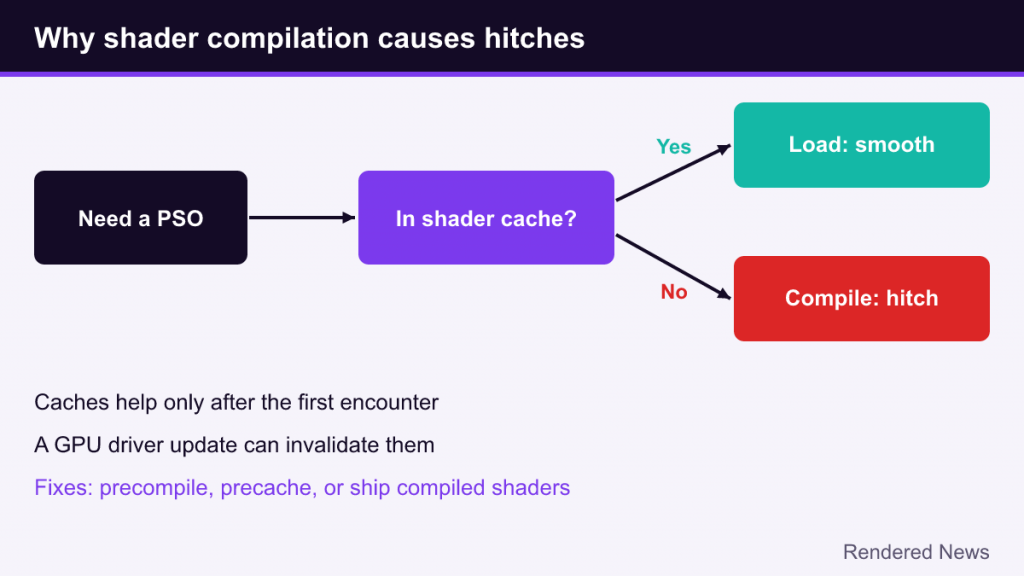
Caches have two weaknesses. First, they only help after the first encounter, so the first playthrough is exactly when players feel the most stutter, which is also when reviews and first impressions are formed. Second, the compiled code depends on the driver, so updating the GPU driver can invalidate the cache. That is why some games show a long “compiling shaders” step again after a driver update.
Developer Fixes: Precompilation and Precaching
The precompile screen
The most visible fix is a shader compilation step before gameplay, often shown as a progress bar on first launch. The game builds a list of PSOs it expects to need and compiles them up front. It trades a one-time wait for smooth play afterward. The weakness is coverage: the list has to be accurate. Any PSO left off it can still hitch during play.
Recorded PSO caches
One way to build that list is to record it. In Unreal Engine’s traditional bundled PSO cache approach, the team plays builds of the game, logs which PSOs are actually used, and ships that list so the game can compile those PSOs early. Epic’s documentation notes that this requires playing through the game to collect the data, which makes it laborious and easy to leave incomplete, especially as content keeps changing during development.
PSO precaching in Unreal Engine 5
Epic added PSO precaching during the Unreal Engine 5 cycle and described it in detail in a February 2025 tech blog post. Instead of recording, the engine works out possible PSOs automatically when objects load. Epic explains that when an object loads, the system looks at its materials, mesh information (for example static or animated) and global state like quality settings to compute the PSOs that may be needed, then compiles them asynchronously on background threads.
Precaching also changes what happens when a PSO is not ready in time. According to Epic’s documentation, the default strategy is to delay drawing that object until its PSO is ready. An alternative is to draw it with a simple default material in the meantime. The third option, drawing anyway and waiting for the compile, is exactly what causes the hitch. In other words, the engine prefers an object appearing a moment late over freezing the whole frame. Epic’s docs also recommend that loading screens wait for outstanding precompiles, since some things, like landscape, cannot simply be delayed. More on Unreal’s broader feature set is in our Unreal Engine 5 overview.
Precaching is not free. Background compilation competes with the game for CPU time, so it can cause small frame drops of its own on systems with few cores, and it uses memory while it works. Epic itself has acknowledged that the system does not catch every case.
Platform-Level Fixes: Shipping Compiled Shaders
Consoles mostly avoid this problem because the hardware and driver are fixed. Developers can compile shaders for that exact target in advance and ship the results with the game. PC’s diversity of GPUs and drivers is what prevents the same approach.
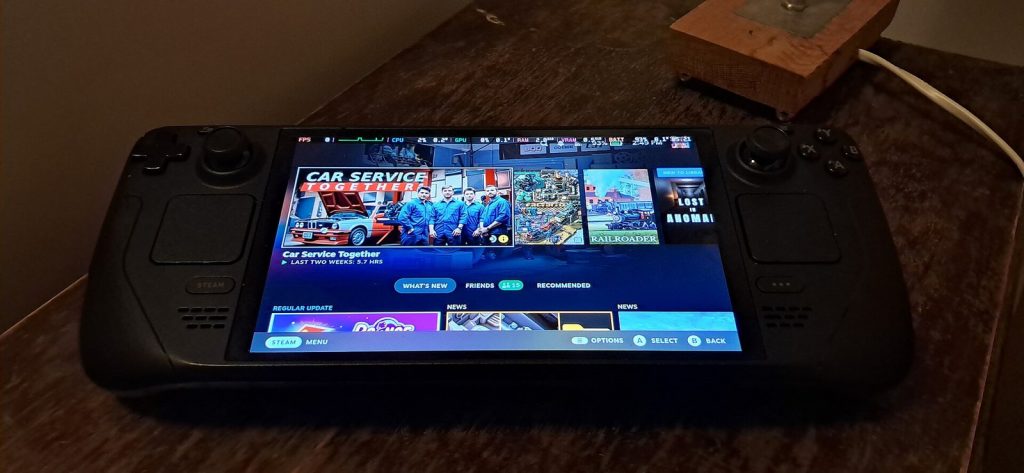
Platform holders have started to close that gap. On Linux, Valve’s Steam distributes precompiled shader caches for some setups, especially its own Steam Deck. Microsoft announced Advanced Shader Delivery on August 20, 2025. The idea is that Microsoft and its partners precompile a game’s shaders and distribute them at download time, so the device skips the local compile. It debuted on the ROG Xbox Ally and ROG Xbox Ally X handhelds through the Xbox PC app, and Microsoft reported that launch times in Obsidian’s Avowed were reduced by as much as 85%. Because a fixed handheld has a known GPU and driver, it is the easiest place to start. Broader rollout depends on hardware support and game participation.
What Players Can and Cannot Do
- Let the precompile step finish. Skipping or interrupting it, where a game allows that, just moves the work into gameplay.
- Expect a rebuild after driver updates. A long shader step after updating drivers is normal, not a bug.
- Don’t judge a game by its first five minutes alone. Hitches that vanish on repeat are compile or cache related; persistent ones point elsewhere.
- Don’t expect settings to fix it. Lowering graphics quality rarely removes compilation hitches, because the cost is in creating pipelines, not rendering pixels.
- Keep the driver shader cache enabled. Turning it off or clearing it repeatedly forces recompilation.
Shader stutter is ultimately a consequence of a reasonable design choice. Explicit APIs give developers control and predictable performance, but they move a cost that drivers used to hide into the open. The fixes, from precompile screens to precaching to platform-delivered shader databases, all aim at the same thing: doing that compile work anywhere except in the middle of a frame.