Shadow Settings Explained: Shadow Maps, Cascades and Ray-Traced Shadows
How shadow maps work, what cascades, filtering and contact shadows do, how UE5 virtual shadow maps differ, and what shadow quality sliders actually change.
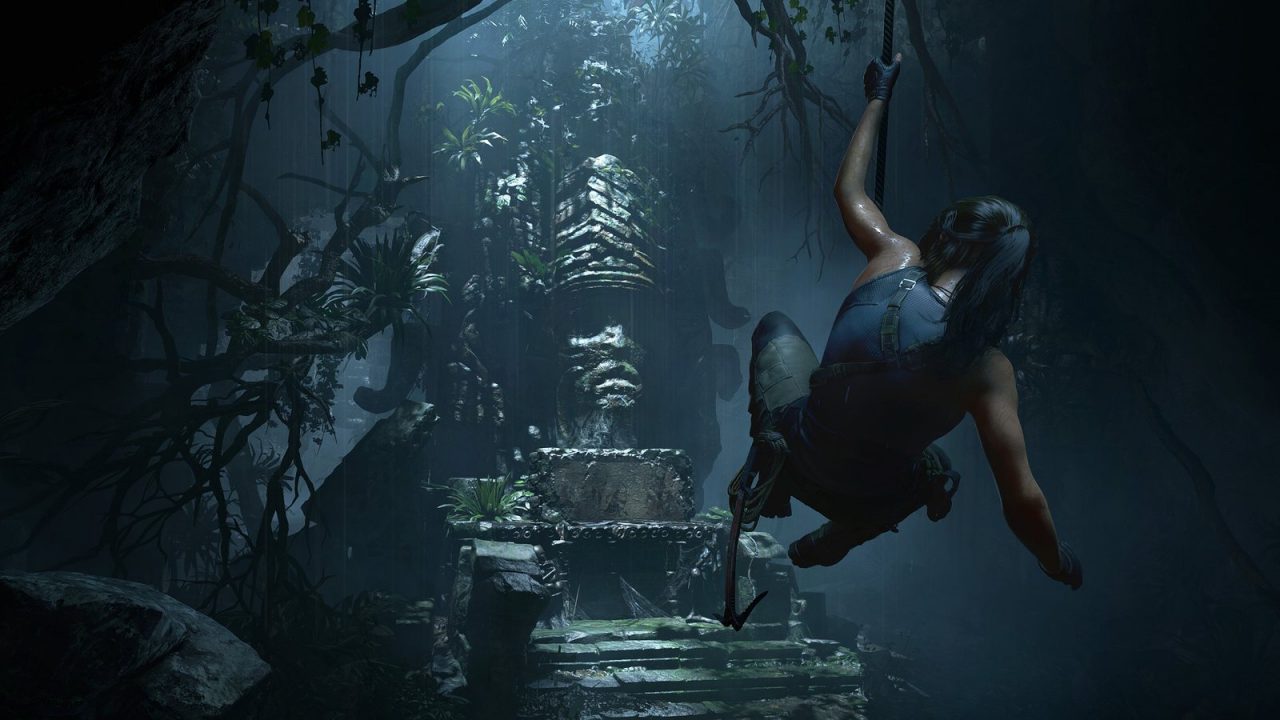
Shadows do more work in a game image than most players realize. They anchor objects to the ground, tell you where the light is coming from, and give depth to everything from a tree canopy to a character’s face. They are also one of the more expensive things a renderer does, which is why “shadow quality” is a fixture of almost every graphics menu. This guide explains how real-time shadows are produced, what the common shadow settings change, and how newer approaches like virtual shadow maps and ray-traced shadows differ.
Shadow Mapping: The Technique Behind Most Game Shadows
The dominant technique in real-time graphics is shadow mapping, which traces back to Lance Williams’s 1978 SIGGRAPH paper “Casting Curved Shadows on Curved Surfaces.” The idea is elegantly simple and works in two passes:
- Render from the light. The scene is drawn from the light’s point of view, but instead of colors, the renderer only stores depth: how far the nearest surface is from the light at each texel. That depth image is the shadow map.
- Compare from the camera. When shading each visible pixel from the camera’s view, the renderer works out where that point would appear in the shadow map and compares distances. If the shadow map records something closer to the light than this point, something is blocking the light, and the point is in shadow.
Shadow mapping fits rasterization perfectly because the first pass is just another depth-only render, which GPUs do very efficiently. Its weaknesses all come from the fact that the shadow map is a grid of finite resolution, sampled from a different viewpoint than the camera’s.
Shadow Resolution and Its Artifacts
The shadow map’s resolution decides how much detail shadows can hold. If one shadow-map texel ends up covering many screen pixels, which happens near the camera or on surfaces viewed at a grazing angle, shadow edges turn into visible stair steps. This is shadow aliasing, the shadow equivalent of jagged polygon edges.
Other classic artifacts include:
- Shadow acne: speckled or striped self-shadowing on lit surfaces, caused by precision and sampling mismatches when a surface is compared against its own depth. Renderers fix it with a small depth bias.
- Peter-panning: too much bias makes shadows detach from the objects casting them, so objects appear to float. The name comes from Peter Pan’s detached shadow.
- Shimmering: as the camera moves, shadow-map texels shift relative to the world, making edges crawl. Engines reduce this by snapping the shadow map to texel-sized increments.
Raising shadow resolution in a settings menu makes edges sharper and reduces aliasing, but it costs memory and rendering time, because every shadow-casting object has to be drawn into a bigger map.
Cascaded Shadow Maps: Spending Resolution Where It Matters
Sunlight creates a special problem. A single shadow map for a large outdoor scene would have to cover everything from the grass at your feet to mountains far away. Spread across that area, even a very large map would leave nearby shadows blurry and blocky.
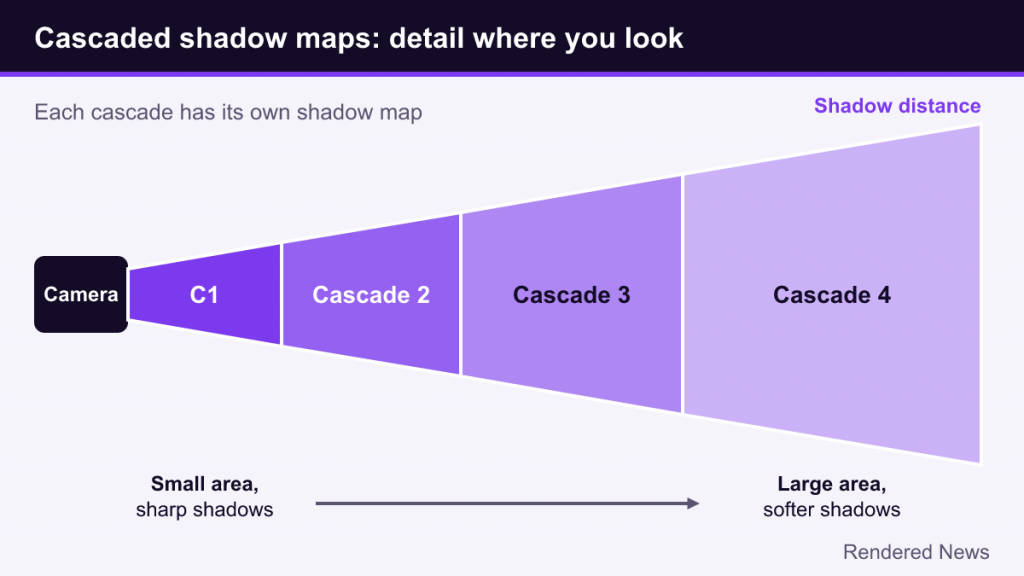
Cascaded shadow maps solve this by splitting the camera’s view range into several slices, or cascades. The nearest cascade covers a small area with a dedicated shadow map, so nearby shadows get dense detail. Each following cascade covers a larger area with similar resolution, so detail drops with distance, where you notice it less.
Cascades explain several things you see in games and menus:
- Shadow distance: how far the last cascade reaches. Beyond it, objects may cast no dynamic shadow at all, which is why distant buildings sometimes lack shadows.
- Visible transitions: a line or band where shadow sharpness changes as one cascade hands over to the next. Good engines blend between cascades to hide it.
- Cascade count: more cascades mean better quality at range but more shadow passes, each of which redraws the relevant geometry.
A shadow quality preset typically adjusts several of these together: resolution per cascade, number of cascades and shadow draw distance.
Filtering, Soft Shadows and Contact Shadows
Percentage-closer filtering
A raw shadow-map test is binary: lit or shadowed. That produces hard, aliased edges. In 1987, William Reeves, David Salesin and Robert Cook of Pixar introduced percentage-closer filtering (PCF) in “Rendering Antialiased Shadows with Depth Maps.” Instead of testing one shadow-map sample, PCF tests several nearby samples and averages the results, giving a smooth, anti-aliased edge. Nearly every game uses some form of PCF. Higher shadow filtering settings typically mean more samples and smoother edges.
Soft shadows and penumbrae
Real shadows are sharp near the object casting them and get softer farther away, because real light sources have size. A pencil’s shadow is crisp at its tip and fuzzy farther along. This soft region is the penumbra. Techniques like NVIDIA’s percentage-closer soft shadows (PCSS) estimate how far a shadow is from its caster and widen the filter accordingly, producing this contact-hardening effect. Settings labeled “soft shadows” or “contact hardening” usually refer to this kind of approach.
Contact shadows
Even good shadow maps can miss small details, such as the shadow where a character’s foot meets the ground or a thin crease in clothing, because the map’s resolution is too coarse. Contact shadows add a short screen-space ray march from each pixel toward the light, catching small-scale occlusion the shadow map missed. Like other screen-space effects, they only see what is on screen. They complement ambient occlusion, which handles soft, non-directional darkening; see our ambient occlusion guide.
Virtual Shadow Maps in Unreal Engine 5
Unreal Engine 5 introduced virtual shadow maps (VSMs), designed to deliver consistent, high-resolution shadows to match the geometric detail of Nanite. According to Epic’s documentation, each virtual shadow map has a virtual resolution of 16k by 16k pixels, split into pages of 128 by 128 pixels. The key word is virtual: only the pages actually needed to shade visible pixels are allocated and rendered.
For directional lights, VSMs use a clipmap structure that plays a similar role to cascades. Each clipmap level has the same virtual resolution but covers twice the radius of the previous one. Epic’s docs say the default levels run from about 64 centimeters near the camera out to roughly 40 kilometers. Spot lights use a single virtual shadow map with mip levels, and point lights use six of them, one per cube face.
Two more ideas make VSMs practical:
- Caching: pages are reused across frames when nothing changes. They are invalidated when the light moves or when shadow-casting geometry moves or deforms. Epic notes that frequent invalidation is the main cause of poor VSM performance.
- Shadow map ray tracing: soft shadows and contact hardening come from marching a small number of rays toward the light against the shadow map itself, with softness controlled by the light’s source size or angle.
Epic’s documentation states VSMs are designed for Nanite, and non-Nanite geometry is much more expensive to render into them. Our Nanite explainer covers why that pairing matters.
Ray-Traced Shadows
Ray-traced shadows skip the shadow map. For each visible point, the renderer traces a ray toward the light. If the ray hits something, the point is in shadow. Because the test happens against the actual scene geometry from the exact point being shaded, there is no shadow-map resolution, no cascades, no acne or peter-panning from bias, and fine details are captured accurately. Our ray tracing explainer covers the underlying machinery.
Soft shadows come naturally too. Instead of aiming at a single point, the renderer picks random points across the light’s area. Rays near the caster mostly agree, producing crisp shadows; farther away they diverge, producing a realistic penumbra. The cost is noise, since only a few rays per pixel are affordable, so ray-traced shadows depend on denoising.
Because they are expensive, games often ray trace only some shadows, for example sun shadows or a limited number of local lights, and keep shadow maps for the rest.
What Shadow Settings Actually Change
| Setting | What it changes | Visible effect when lowered |
|---|---|---|
| Shadow quality / resolution | Size of shadow maps or cascades | Blurrier, blockier, more shimmering edges |
| Shadow distance | How far dynamic shadows reach | Distant objects lose shadows; pop-in of shadows |
| Soft shadows / filtering | Filter samples and penumbra method | Harder, more uniform edges; more aliasing |
| Contact shadows | Short screen-space shadow rays | Small objects and feet look less grounded |
| Local light shadows | Which lamps and point lights cast shadows | Fewer shadows indoors; flatter lighting |
| Ray-traced shadows | Replaces shadow maps for some lights | Back to shadow-map behavior |
Some practical notes when tuning:
- Shadows scale with geometry, not just pixels. Every shadow map redraws shadow-casting objects, so dense scenes such as forests and cities make shadow settings more expensive.
- Distance and resolution trade off. Pushing shadow distance out while keeping resolution fixed can spread detail thinner in some implementations.
- Look at moving shadows. Foliage and character shadows reveal shimmer and low resolution better than static walls.
- Don’t max everything blindly. The highest shadow presets often bring small visual differences for a meaningful cost, though this varies by game.
Shadows are a good example of how games build realism out of approximations. Shadow maps, cascades and filtering all exist to make an imperfect sampled depth image look like real light being blocked. Virtual shadow maps push that approach as far as it can go, while ray tracing replaces the approximation with the real test.